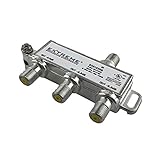

Parts Express Cable TV in-Line Coaxial Surge Protector
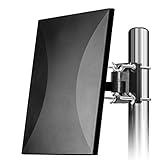
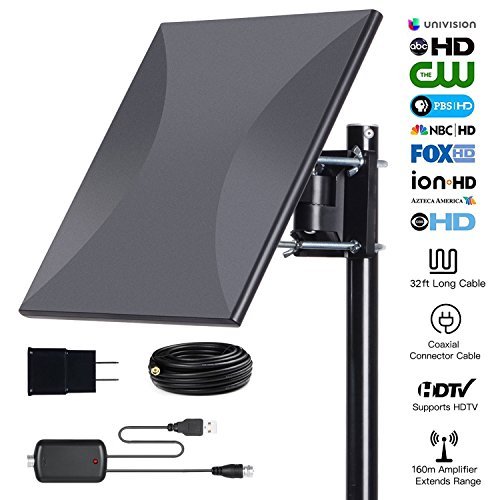
AatalTV Amplified HD Digital HDTV Antenna
Two really useful websites to find out what channels you should be able to get at your home
1. Antennaweb.org is run by the Consumer Electronics Association and the National Association of Broadcasters.The interface hasn't changed in over a decade, but it's simple and the information is useful.
2. TVFool.com is more complex, but gives a lot more detail including gorgeous plots of theoretical signal strength and where the broadcast towers are located.
Tips: And if you're looking for a cable-style TV schedule, TitanTV.com is a free Web service that lists local programming.
Set up guide:
Step 1:Connect the end(F-male) of attached coaxial cable to the ANT/IN connector on the back of TV or DVB-T tuner.
Step 2:You can install the antenna indoor or outdoor walls,balconices,roofs.
Step 3:In the TV's or STB's setup menu,set the tuner mode to "Antenna" or "Air".
Step 4:In the TV's or STB's setup menu,set TV to "scan" for channels.This can sometimes be listed as auto-program,auto-scan,channels search or channel scan.Consult the TV manual for detailed instructions.
Step 5:If reception is sporadic, try moving the antenna to another location and re- scanning the TV until optimal position is found.
Step 6:Fix the antenna on the optimal position
Package:
1 X HDTV Antenna
| Country | USA |
| Binding | Electronics |
| Brand | AatalTV |
| Color | outdoor |
| EAN | 0727670747027 |
| IsAdultProduct | |
| Label | AatalTV INC |
| Manufacturer | AatalTV INC |
| Model | 4335091951 |
| MPN | 43235-111641 |
| PartNumber | 43235-111641 |
| Publisher | AatalTV INC |
| Studio | AatalTV INC |
| ReleaseDate | 0000-00-00 |