

70mai Dash Cam M200, Dash Camera for Cars 1080P, Dash Cam Front with STARVIS2 IMX662, HDR Night Vision, Parking Monitor, G-Sensor, Loop Recording, Time-Lapse,App & WiFi, Voice Control Small DashCam
Product Description
70mai Dash Cam M200, Dash Camera for Cars 1080P, Dash Cam Front with STARVIS2 IMX662, HDR Night Vision, Parking Monitor, G-Sensor, Loop Recording, Time-Lapse,App & WiFi, Voice Control Small DashCam
- 【Upgraded 1080P FHD】With 1080P FHD resolution, this dash cam provides the clarity you need for documenting scenic drives or capturing critical footage in the event of an accident. The upgraded processor ensures smooth recording, even during high-speed driving. The 130° wide-angle lens offers a broader view of the road, reducing blind spots and capturing surrounding lanes, which improves safety, particularly in busy traffic or on highways.
- 【STARVIS 2 Enhanced Night Vision】The Sony STARVIS 2 sensor further enhances night vision in this car dash cam by capturing sharp and vibrant images in complete darkness. The larger aperture allows more light to enter, while HDR technology balances exposure for clear, detailed footage even in high-contrast scenarios. Together, these features make this car camera perfect for providing a clear and reliable view of the road at night, significantly improving safety during nighttime driving.
- 【Dash Cam with WiFi】This dash camera for cars is designed with convenience in mind, featuring built-in WiFi for easy connection to your smartphone. Through the 70mai app, you can effortlessly view, download, and share videos without removing the memory card. Plus, with voice control functionality, you can operate key features hands-free, ensuring a safer, more intuitive driving experience. The car cam a perfect companion for drivers seeking seamless control and accessibility.
- 【Comprehensive Protection and Evidence Capture】The dash camera ensures 24/7 protection with advanced parking monitoring, safeguarding your vehicle even when you're not around. The time-lapse saves storage while documenting key moments. In case of a collision, the emergency lock function secures video starting from 5s before the incident to 25s after, ensuring crucial evidence is never lost. (70mai Hardwire Kit UP03 is required, and is sold separately, ASIN:B09TDZ6FWZ)
- 【Seamless Recording and Storage Efficiency】This car dash cam supports loop recording, automatically overwriting the oldest footage for continuous capture when storage is full. It supports up to a 128GB memory card (not included), allowing you to store hours of high-quality recordings worry-free. The upgraded video encoding technology optimizes file sizes, maximizing storage without sacrificing clarity. With these features, the dash cam ensures ample space and reliable evidence whenever needed.
- 【MicroSD Card Compatibility】Dash cam supports microSD cards with capacities ranging from 16GB to 128GB and read/write speeds of Class 10 or higher.Lower-class cards may result in slower write speeds and video recording errors. Note:SD Card Not Included
- 【Professional Brand Support】70mai is a globally renowned brand, widely recognized for its commitment to quality and customer service. We offer a 12-month warranty and professional technical support. For any questions about our dash cams, please email our support team.
Features
Voice Control: 6 kinds of oral instructions are available: Take Picture, Record Video, Record Without Sound, Record With Sound, Turn On Wi-Fi, Turn Off Wi-Fi. Notice*: Voice command is only available when app is disconnected.
Emergency Recording: When built-in G-Sensor detects a collision, 70mai dash cam will automatically lock this video to Emergency File to prevent the video from overwritten.
Wi-Fi connection and 70mai APP: allow you to operate dash camera on the phone - watching live streaming view, playback and download useful and meaningful recording files. 70mai APP is available for devices running Android and IOS.
For App Download you can find it in App Store or scan a QR code on the manual book to download. Supports Android and IOS systems.
Activate the dash cam when first time use
Power on the dash cam When the dash cam boots up at first time, you will hear a piece of voice prompt "70mai boots up, please activate the device by connecting to your cell phone."
At that moment, the indicator is in blue breathing state. (If the indicator displays blue but always light on, please press the power key to open Wi-Fi hotspot of the dash cam.)
Use app to connect the dash cam
1. Open 70mai dash cam app, sign up with email or phone.
2. At the homepage of app, click "Add new dash cam" and follow the guide to build connection to your dash cam. The default password of the dash cam is 12345678.
3. When you hear the voice prompt "Please click the power key to authorize", press the power key to accept the connection request from your cellphone.
4. You will see new user guide after the first connection. Please read it carefully to learn the basic skills of using the functions of dash cam, and adjust the angle of your dash cam as well.
5. Please be noted that the built-in battery is designed to record emergency. Normally the smart dash cam needs to connect to external power.
Technical Specifications
You might also like
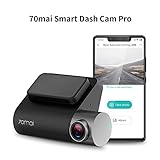
70mai Dash Cam, Dashboard Camera Recorder, Pro 1944P, Parking Monitor, Car Camera,2" LCD WDR Screen, Night Vision, 140°Wide Angle, G-Sensor, Loop Recording, Motion Detection, APP WiFi, Car DVR
SHISHUO Dash Cam Hardwire Kit - Mini USB and Micro USB Port 3.5m Cable with LP Mini/Mini/ATO/Micro2 Fuse, 12V to 24V Input, 5V Output for Dash Cam GPS Sat-Nav with Battery Drain Protection

70mai Dash Cam, 1944P FHD Front Car Dash Camera with GPS Module, Voice Control, Parking Monitor, APP Control Dashboard Camera Recorder, WDR, G-Sensor, 140° Wide Angle Car Smart DVR with Night Vision
Micro Center 64GB Class 10 Micro SDXC Flash Memory Card with Adapter (2 Pack)

EKYLIN, OBDII Charging Cable Micro USB Power Adapter - 16Pin OBD2 Connector Direct Link Charger for for Dash Cam Car DVR GPS - 3M/11.5FT Wire - 12-24V
15ft MicroUSB & MiniUSB Dash Cam Hardwire Kit with Mini/LP Mini/ATO/Micro2 Fuse, Micro to Mini (and Type-C) Port Adapters and Battery Drain Protection System

REARMASTER Universal OBD Power Cable for Dash Camera,24 Hours Surveillance/Acc Mode with Switch Button

ddpai Dash Cam, Mini Wi-Fi 1080p Dash Camere 140 Wide Angle Car DVR Dashboard Camera with G-Sensor,WDR,Loop Recording, APP,Built-in Supercapacitor(Not Include SD Card)

Kingston Canvas Go! 64GB microSDXC Class 10 microSD Memory Card UHS-I 90MB/s R Flash Memory Card with Adapter (SDCG2/64GB)