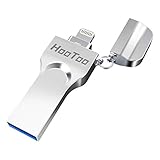
AVOMOCO 3.1 128GB 3 in1 High Speed Photo Backup Flash Drive for iPhone 15/16/17 wtih Type C/USB-C Port,Photo-Stick-for Android Phones with OTG Function
Sold Out / Out of Stock
This item may be available in a different size, colour, scent, version or platform:
AVOMOCO 3.1 128GB 3 in1 High Speed Photo Backup Flash Drive for iPhone 15/16/17 wtih Type C/USB-C Port,Photo-Stick-for Android Phones with OTG Function
The 3in1 USB-C &Micro flash drive makes it seamless to move data between your USB-C smartphones, tablets, laptops, the iPhone 15 series,which has been available since 2023, (iPhone 15,16,17, iPad Pro with Type-C/USB-C port) and your USB-A devices such as computers, car audio, printers, game consoles, and more.
The photo backup flash drive works with Android Smart Phone with OTG function.For example: Since 2013 years Samsung Galaxy phones with Type C/USB-C port or Micro Port. Xiao mi, Google phones, LG phones with OTG function.
For more supported models ,please refer to the" product description".n the video category at the bottom of the details page, there are operation videos of the photo stick on different models of mobile phones for viewing.
Extra storage for your mobile device for photos, music, videos and other files.Preserve life’s cherished memories and wonderful moments for years to come.
1 year after-sales service. Give you great value for every cent you pay. Take advantage of the 1 years free Service that could bring safety and happiness to your mind.
Some customers contact us Said smartphone does not recognize the U disk,then ask Refund,beacause very few models smartphone wiht OTG / micro usb/ external memory device Function turn OFF,please set your phone external memory OTG turn on Set Exernal memory turn on setting>> other setting >> OTG connection but some models is not this name, may be call "micro usb"or "external removeabble memory" if you can not find it, please contact your phone company service center Solutionand 1. If USB flash drive does not work, thenplease try again on other computer / and other Smart Phone 2. Very few smart phone models or Old OS systemversion do not support External storagedevice. If it on other smart phone work well, then please contact your smartphone manufacturer to get help. 3. Does your phone support external storage Higherthan 8GB or 16GB capacity? if it is not supported, please contact us to applyfor a new free 8GB/16GB to testing and evaluating. 4. If USB flash drive does not work on many device. Please contact us get new one, We will solve problem to make you have acomfortable experience.  Operational Guidelines For IPhone mobile :Plug the lightning connector slightly to connect to iPhone, Automatically prompt App(i-Easy Drive) installation at first connect.Also can download on the app store. For Android:There is no need to install an APP for Android phones,Plug the connector slightly to connect to mobile, the "USB Drive" will be appeared after you touch the screen and slide down from the top of the interface, then you can review the data in the USB drive.  For the computer:plug it in the USB port on a computer and it works.