

Bluetooth Headset for Cell Phones , YAMAY® Wireless Headset with Mic Over the Head Stereo for iPhone 5s 6 6s 7 Plus Android Phone PC Computer Office Bussiness Noise Canceling Hands Free Dual Phone
Product Description
Bluetooth Headset for Cell Phones , YAMAY® Wireless Headset with Mic Over the Head Stereo for iPhone 5s 6 6s 7 Plus Android Phone PC Computer Office Bussiness Noise Canceling Hands Free Dual Phone
Specification
Bluetooth : Bluetooth V4.1
Supported profile: HFP v1.6, HSP v1.2, A2DP v1.2, AVRCP v1.0
Working Time: About 12 hour
Standby time: About 250 hour(Connected mode)
Charge time: About 2 Hour
Battery Capacitance: 350mAH
Package includes:
1 x Bluetooth Headset
1 x with Charging Cable, doesn't include adapter
1 x User Manual
Important Note:
â—† Do not use the headset when charging, if not, the battery will be damaged easily.
â—† The Microphone is only 330 degree rotation. So, do not rotate the Microphone to 360 degree, if no, the Microphone will be defective easily.
Why the headset cannot work with my device?
â—† This headset only can work with the bluetooth 4.0 enabled smartphones or computers, like, Samsung, iPhone, LG, Huawei, Dell, Apple, HP. So, pls make sure your device has bluetooth function first.
â—† Bluetooth Driver problem: If the headset cannot pair with your computer, please check if your bluetooth driver works or not. If not, please go to your computer's official site, ask the customer service for help, they will tell you how to download the right driver for your computer.
How to pair?
1) First, You need bring the headset into pairing mode, and make sure the headset and your cell phone are next to each other within 3 feet.
2) How to pairing mode, press and hold the multifunction button for about 5 seconds until the LED indicator ashes red and blue alternately.
3) Activate the Bluetooth search feature on your phone, refer to your phone's manual for further instructions.
4) Find "BH-M20" in the search results. Tap on the name to connect. Once connected, the headset will flash just blue to indicate completed pairing.
Technical Specifications
You might also like
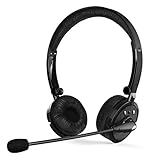
CISNO Over The Ear Wireless Bluetooth Foldable Headset, Noise Cancelling Crystal Clear Headphones with Mic and Volume Control for Trucker Driver, Compatible with iPhone Android MP3/4 TV …
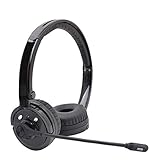
YAMAY M20 Wireless Headphones Multipoint Noise Cancelling Foldable Over-The-Head Wireless Headset with Boom Microphone Hands Free for iPhone, Samsung Galaxy, Android Phones Updated Version Black

Plugable USB Bluetooth 4.0 Low Energy Micro Adapter (Windows 10, 8.1, 8, 7, Raspberry Pi, Linux Compatible; Classic Bluetooth, and Stereo Headset Compatible)