

Canon CL-41 and PG-40 Remanufactured Ink Cartridges-Two Black and Two Color

Product Description
Canon CL-41 and PG-40 Remanufactured Ink Cartridges-Two Black and Two Color
- If problem persists:The printer may need to be reset. To reset a printer they can follow these instructions. 1. Remove the cartridges out of the printer and shut printer off. 2. Unplug printer from the power outlet and your computer as well. 3. Turn off your computer as well (if you are able to). 4. Wait a few minutes before turning on your printer. 5. Turn your computer on (if turned off). 6. Plug in the printer to the outlet and to your computer as well. 7. Turn your printer on and wait until it starts up. 8. Install the printer cartridges, and if alignment page does not print out automatically, try doing it manually. The reset of the printer should allow the printer to read the new cartridge.
Please note: these recycled cartridges print great but will not show up on your printer's "ink low" meter.
Technical Specifications
You might also like
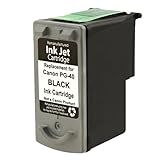
Remanufactured Ink Cartridge Replacement for Canon PG-40 0615B002 (1 Black)

Canon PG-40 Black Ink Cartridge

Canon PG-40 CL-41 Ink Cartridge Set

Canon CL-41 Compatible Inkjet Cartridges - Premium, for Canon Pixma iP1600/iP1700/iP1800/iP2600/iP6310D/MP140/MP150/MP160/MP170/MP190/MP210/MP460/MP470/MX300/MX310

Canon CL-41 Color FINE Ink Cartridge
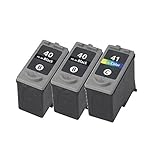
Canon PG-40 CL-41 ink cartridge For PIXMA MP210 MX300 MX310 Printer, 3 pack

Canon PG-40/CL-41 Cartridges and Glossy Photo Paper Combo Pack
TS Remanufactured Replacement for 220XL 220 XL Ink Cartridges High Yield - 10 Pack(4 Black,2 Yellow,2 Magenta,2 Cyan) Compatible with WF-2630 WF-2650 WF-2660 XP-320 XP-420 XP-424 Printer
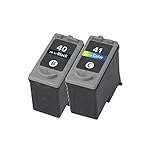
Inktoner Set 2 PG40 CL41 Ink for Canon PIXMA MX300, PIXMA MX310