

Clutch Plate
Product Description
Clutch Plate
- The Clutch Cover helps engage the clutch for most 48cc and 66/80cc 2-stroke motorized bicycles
- To install the clutch cover, remove the gear case cover. Remove the clutch flower nut and locking screw from the stock clutch plate. Replace the stock clutch plate with the new plate, secure the flower nut and locking screw again, and you're ready to go
- Note: be sure that the clutch plate is making the correct amount of contact with the clutch pads in the bevel wheel. Too much contact will lock your rear wheel and drive sprocket, not enough contact and your engine will not engage
Part #2 on Clutch Diagram
The clutch cover is often called the "clutch plate" and is what moves against and away from the clutch pads to create the friction to engage and disengage your clutch. It is found just behind the gear case cover and is held in place by the clutch wheel nut and locking Phillips screw. It should have a displacement of about 1/8th inch to function properly. Too close to the pads and the clutch will be too tight to move and too far away and your clutch will slip. To remove or adjust the clutch cover, first remove the Phillips locking screw. Using a chisel and hammer  tap clockwise until the clutch wheel nut moves 1/2 turn. Then, slip your spark plug removal tool over your clutch arm and pull it in and push down on the clutch cover. This will free the clutch wheel nut to be removed or adjusted easily by hand.
Â
Click here to watch the clutch adjustment video.
Â
Package Includes:
Clutch Cover
Part Number (See Parts Manual): Clutch-2
Technical Specifications
You might also like

BBR Tuning Performance Heavy Duty High Temperature Clutch Friction Pads

Clutch Wheel Nut

Flying Horse 2-Stroke Motorized Bicycle Complete Clutch Bevel Wheel Assembly - Gas Bike Complete Clutch Replacement
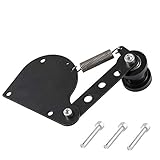
Sthus Black Spring loaded chain tensioner for 49cc 66cc 80cc Engine Motorized bike 2 Stroke Engine

Sunlite Alloy Double MTN Lever, Black/Silver

Flying Horse 2-Stroke/4-Stroke Gas Powered Motorized Bicycle Engine Vitta Fuel Line - Gas Bike Fuel Hose Replacement
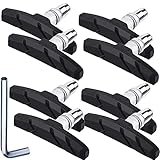
Hotop V Bike Brake Pads with Hex Nuts and Spacers V Bicycle Brake Blocks Set 70 mm (4 Pairs, Black)

JRL 49cc 80cc Motorized Bicycle Engine Clutch Pads Square Shape 15 Pcs

JRL Silver Chain tensioner Spring Loaded for 49cc 66cc 80cc 2-Stroke Engine Motor Motorized Bike

JRL 32mm Offset Intake Manifold & Gasket for Carb 49 66 80cc Motorized Bicycle Steel