
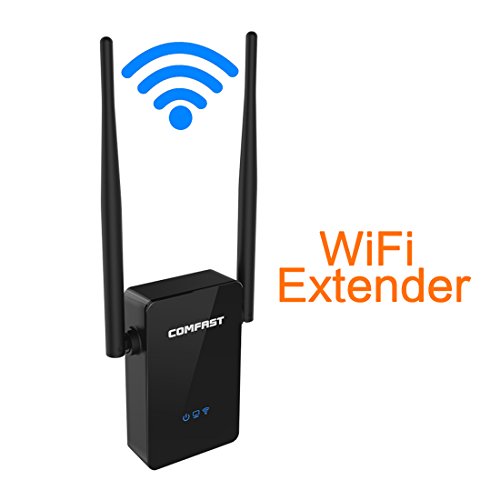
Comfast Universal N300 WiFi Range Extender Repeater Dual Band Wireless Signal Amplifier Booster Bridge AP with Ethernet Port for PC Desktop Iphone
Product Description
Comfast Universal N300 WiFi Range Extender Repeater Dual Band Wireless Signal Amplifier Booster Bridge AP with Ethernet Port for PC Desktop Iphone
- Consumer Alert: Most users do not need a license to operate this wireless microphone system. Nevertheless, operating this microphone system without a license is subject to certain restrictions: the system may not cause harmful interference; it must operate at a low power level (not in excess of 50 milliwatts); and it has no protection from interference received from any other device.
- Purchasers should also be aware that the FCC is currently evaluating use of wireless microphone systems, and these rules are subject to change. For more information, call the FCC at 1-888- CALL-FCC (TTY: 1-888-TELL-FCC) or visit the FCC's wireless microphone website at fcc.gov/cgb/wirelessmicrophones.
NOTE: Please follow the setting steps in the last picture of the listing. The manuel is a little bit complicated, we have made the graphical representation so that everyone can follow it and set the wifi range extender successfuly.
When do you need a Wi-Fi range extender?
1. Wi-Fi signals are very weak and cannot reach certain places because of the big area of your house or the too many rooms inside.
2. Walls are too thick so that general routers cannot go through.
3. Wireless signals are too weak when sharing the network with your neighbors.
4. It keeps dropping off when playing computer games.
5. You want your phones and computers to have access to the wireless network, however, you have not routers in hand.
6. You want to connect your old TV to the network.
How to set the Wi-Fi range extender?
1. Power on the wifi extender and connect the wireless network (COMFAST_XXXXXX)on your phone
2.Scann the two-dimension code on the instruction to enter the setting page( OR type the IP address 192.168.10.1 in your browser and enter the next step)
3. input the password admin by default
4. select the wifi signal you want to extend
5. type in wifi password and waiting for a while, then you are ready to use the internet
IF YOU WANT TO USE THE AP/ROUTER MODE, YOU NEED TO COMPLETE THE SETTINGS ON YOUR LAPTOP OR COMPUTER FOLLOWING TEH SAME STEPS AS ON A MOBILE PHONE.
You have no need to worry about setting. Besides, we are always standing behind our products and ready to help you with any problems.
Package includes:
1 x wifi range extender
1 x network cable
1 x installtion guide
1x warranty card
Technical Specifications
You might also like
Sunmy High Gain 300Mpbs Wireless Signal Amplifier WiFi Range Extender Router Access Point with Ethernet Port for PC Laptops Desktop Iphone
Glamorance N300 Wireless-N Wi-Fi Range Extender, Wi-Fi Repeater, Full Coverage Wireless Router Supports AP/ Repeater / Router Mode with Easy WPS Setup, Mode Selector, Wall Plug and LED Indicators
AMASKY A9 Bluetooth Smart Watch Mate for Smart phone - IOS Apple Iphone ,Samsung S2/s3/s4/s5/note 2/note 3 ,HTC and Other Brand Smart phone with Andriod System (Black)