
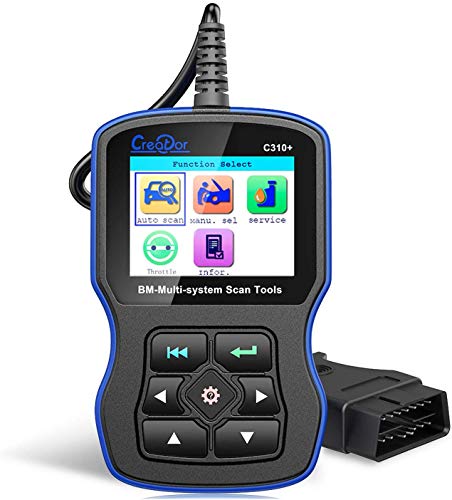

Creator C310 Plus Auto Code Reader C310+ Code Scanner for BMW Mini Multi System Scan Tool Support Read and Clear Trouble Code,Engine Oil Reset
Creator C310+ Multi System Scan Tool support software update online for free. Functions(Before plug in scanner, Please turn on the ignition full with engine running) Read trouble codes,Clear trouble codes, Displays live data stream and graph display and vehicle version information,Clear adaptation,Engine oil reset Cautions: Check your diagnostic port in good condition in case of aging port leading to poor connection
Supports BMW between 2000 to 2017(for more vehicle type, please contact us to inquire): *1 Series: 1'_E81/E81/E87/E88; *3 Series: 3'/Z3_E36,3'_E46,3'_E90/E91/E92/E93; *5 Series: 5'_E39,5'_E60/E61,5'_GT(F07),5'_F10/F11; *6 Series: 6'_E63/E64,6'_F12/F13; *7 Series: 7'_E38,7'_E65/E66,7'_F01/F02/F03/F04; *X Series: X3_E83,X5_E53,X5_70,X6_E71,X1_84; *Z Series: 3'/Z3_E36,Z4_E85/E86,Z4_E89; *MINI: MINI_R50/R52/R53,MINI_R55/R56; *Include : Drive, Chassis and Body all system. How to upgrade? Setup Update tools:Download from http://www.szcreator.com/download.html or use the CD. Setup the software:Use the same link download software. Run the update tool: 1)Double click the update tool icon and run the update tool, Operate in accordance with tips; 2)Used the USB cable connected to scanner and PC (WinXP-Win7), if connect success, the software on pc will shown USB CONNECT on the screen; 3)Click [Update] button and select the software you download before; 4)Into the upgrade interface, wait for the end of upgrade; 5)If update success, the software will display [Update success!]. If update not success, it will display [Update fail! Try again]. WARNNING:1997-2000 BMW car needs a 20 pin adapter to make it work.(not included) Packing including: 1x C310+ Scanner 1x User's Manual 1x CD 1x USB Cable