

Evecase-Crystal-Clear--AntiGlare-AntiFingerprint-Matte-Screen-Protector-Mix-Set-for-Lenovo-IdeaTab-A3000-7-Inc
Product Description
Evecase-Crystal-Clear--AntiGlare-AntiFingerprint-Matte-Screen-Protector-Mix-Set-for-Lenovo-IdeaTab-A3000-7-Inc
- High quality multi-layer PET film made in Japan
- Clear (invisible) film ensures best screen clarity. Hard-coated suface protects the screen from scratches and scuffs
- Matte film reduces light glare, reflection and fingerprints, also increases touchscreen smoothness and responsiveness with minimal friction
- Static cling adhesive allows for easy installation without sticky residue
- Package Includes: Clear Screen Protectors (2 pcs), Matte Screen Protectors (2 pcs), Microfiber Cleaning Cloth, Squeegee
All Evecase screen protectors adhere to the screen by static and leaves no sticky residue once removed. Self-installation is simple with provided instruction and application tools including microfiber cleaning cloth and squeegee.
[ Screen Protector Installation Guide ]
1. Clean the screen with the provided microfiber cleaning cloth in a dust-free environment.
2. Pre-position of the screen protector before installation. It's easier to start by aligning from the bottom edge then working your way up to the top of your screen.
3. Carefully start peeling away the bottom release film layer as you slowly adhere the screen protector to the LCD screen from the bottom to the top.
4. Gently sweep through the screen surface with the provided squeegee. Push out any air bubbles towards the nearest edge.
5. Finally, remove the top release film layer.
Technical Specifications
You might also like

Lenovo IdeaTab A10-70 10-Inch 16 GB Tablet
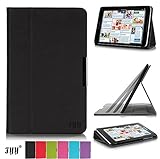
Lenovo Ideal Tab A10-70 10 Inch Case Cover, FYY® Slim Fit Folio Stand Leather Case Cover for Lenovo Ideal Tab A10-70 10 Inch Black (With Auto Wake/Sleep Feature)
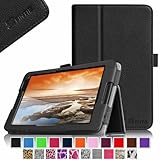
Fintie Lenovo IdeaTab A8-50 8-Inch Android Tablet Folio Case - Premium Leather Cover Stand With Stylus Holder - Black
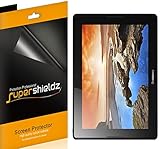
[3-Pack] SUPERSHIELDZ- Anti-Glare & Anti-Fingerprint (Matte) Screen Protector For Lenovo A10-70 / A7600 Tablet + Lifetime Replacements Warranty [3-PACK] - Retail Packaging