

FOINNEX Aluminum Lightning to Ethernet Adapter for iPhone/iPad, iPhone/iPad to Ethernet Adapter Cable Connect The Lightning Bolt to Wired LAN Ethernet Internet Through via RJ45 Port - Silver
Product Description
FOINNEX Aluminum Lightning to Ethernet Adapter for iPhone/iPad, iPhone/iPad to Ethernet Adapter Cable Connect The Lightning Bolt to Wired LAN Ethernet Internet Through via RJ45 Port - Silver
- FOINNEX iPhone/iPad Lightning to ethernet adapter/converter connect your iPad/iPhone Lightning bolt to Wired Lan Ethernet internet network through via a Cat 5e/6e cable( RJ45 connector) directly,
- HIGH SPEED ETHERNET CONNECTION: 10/100Mbps Ethernet provides access to superfast internet network speeds.Streaming large video files or downloading a software upgrade through a RJ45 wired lan at home or office. Support for iPhone 7plus, iPhone 7, iPhone 6s Plus,iPhone 6 Plus,iPhone 6,iPhone 5s,iPhone 5c,iPhone 5,iPad Air2,iPad Air,iPad Pro,iPad mini 4,iPad mini 3,iPad mini 2 series with Lightning bolt to Ethernet internet .Update to IOS11.1.1 software version.
- PLUG and PLAY : No need any software drivers or USB power adaptor with this lightning ethernet adapter; A router-connected Cat 6e/Cat5e Ethernet cable is needed.
- ALUMINUM DESIGN - Brushed aluminum design compliments Apple and iPad accessories. The adapter is for ultimate in reliability and durability.
- Quality Warranty:18 months, If you have any questions or require any further information, please don't hesitate to contact us, we will take our immediate action to reply to you and make our every effort to solve all issue you raised.
iPad,iPhone Lightning to Ethernet Adapter/converter Cable
Description:
The iPhone and iPad have built-in Wi-Fi that works perfectly fine, but if for some reason you'd prefer an ethernet connection.
When you find yourself in a situation where there's no Wi-Fi connectivity to a network but there are plenty of free Ethernet ports.
When you need a more faster and stable transmission while playing game, watching movie or video conferencing at home or office.
FOINNEX devotes an easy way to connect your iPad or iPhone to Ethernet internet only using a simple adapter cable. Our iPad/iPhone ethernet to lightning adapter cable make you can use the iPhone and iPad at office,home,trade show or another area where WiFi connections are often spotty.
Achiving in using a wired Ethernet to get online with APPLE devices. Provides faster data transfers and better security than most wireless connections
How to Use it
1, Disable Wi-Fi on your iPad or iPhone.
2, Insert your router-connected Ethernet cable into the Lightning to Ethernet adapter, and plug the lightning bolt into your iPad and iPhone.
3, Go to"Setting"in your iPad and an Ethernet setting will be found on your screen.
4, Click the ''Ethernet'' to obtain a IP address.(not necessary for iPhone).
5, Open Safari and check if the connection is working.You can launch the streaming app of your choice, be it YouTube, Netflix, Hulu Plus, etc. You should get a much better ethernet internet connection than you would if you were just using a WiFi connection.
System Version: supports iOS 10.x(iOS10.0.1- iOS10.3.3),
Compatible Devices (Current Known Devices)
Supports for:
- iPhone 7 plus, 7,iPhone 6s Plus, iPhone 6 Plus,iPhone 6,iPhone 5s,iPhone 5c,iPhone 5,
- iPad Air 2,iPad Air,iPad Pro,
Cable Length: 3.3 Feet.
Technical Specifications
You might also like
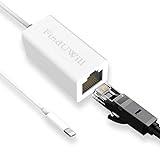
RJ45 Ethernet Network LAN Wired Adapter, RJ45 Ethernet Adapter Compatible with iPhone/iPad (RJ45)

Plugable USB 2.0 OTG Micro-B to 10/100 Fast Ethernet Adapter Compatible with Windows Tablets & Raspberry Pi Zero (ASIX AX88772A chipset).
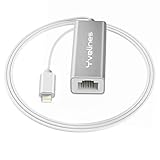
Lightning to RJ45 Ethernet Network LAN Wired Adapter, Yvelines Portable Aluminum 10/100Mbps Hub Converter for iPad/iPhone/iPod Internet Connection via RJ45 Port

Ethernet Adapter for iPad, iPhone 7, iPhone 6/6s Plus Accessories,USB 2.0 to LAN Network Adapter for Apple Device iOS 9.3 Above

Apple Lightning to USB Camera Adapter

Plugable USB C to Ethernet Gigabit 10/100/1000 LAN Network Adapter (ASIX AX88179 chipset Compatible with Windows 10, 8.1, 8, 7, OS X/macOS, Linux, Chrome OS, Switch Game Console)

Anker USB C to Ethernet Adapter, Portable 1-Gigabit Network Hub, 10/100/1000 Mbps, for MacBook Pro 2016/2017/2018, Chromebook, XPS, Galaxy S9/S8, and More

JZBRAIN RJ45 Ethernet Adapter Cable Compatible for iPhone iPad