
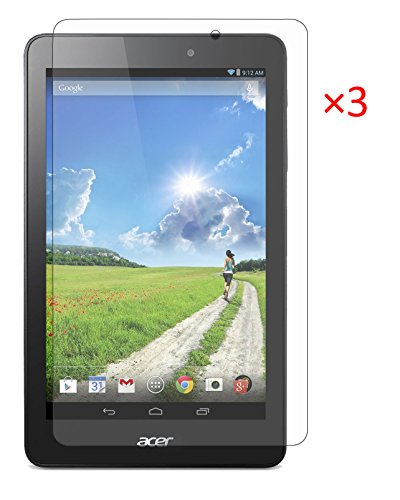
FanTEK Acer Iconia One 8 B1-810 8-Inch Tablet Screen Protector - 3 Pack Ultra Thin Crystal Clear High Definition Anti-Bubble Cover Guard

Product Description
FanTEK Acer Iconia One 8 B1-810 8-Inch Tablet Screen Protector - 3 Pack Ultra Thin Crystal Clear High Definition Anti-Bubble Cover Guard
- Designed specially for Acer Iconia One 8 B1-810
- Touch screen accuracy, bubble-free, easy install, and perfect fit - guaranteed
- Protects your touch screen from most of dust and scratches
- Ultra clear, 99% transmittance
- Package included: 3x Screen Protector, 1x Cleaning Cloth. Tablet and other accessories Not Included. More Accessories are available, please search FanTEK Acer Iconia One 8 B1-810
Features:
* FanTEK is a Registered Trademark which was authorized by UNITED STATES PATENT AND TRADEMARK OFFICE
* After-sales service: We offer 30 Days Return without any reason, 90 Days Replacement if the product has any quality problems
* The screen protector come with high-quality adhesive coating for easy bubble-free placement and clean removal with no sticky residue.
* The screen protectors feel smooth and maintain the sensitivity, quick responsiveness in your touch-screen
* More accessories are available, please search FanTEK Samsung Galaxy Tab S2 9.7
Application Instructions:
* Step 1: Thoroughly clean the display with the cleaning cloth (provided). Use tape if necessary. Once your device is cleaned, do not touch the surface - no fingerprints please
* Step 2: Peel off FRONT outer layer (Tab 2) firstly. Then peel off the corner(Not completely tear) of the the BACK outer layer (Tab 1). Do not touch the surface of the film directly. Work by gently holding the edges of the screen protector
* Step 3: Align the exposed corner edge with the corresponding edge of the device display. Slowly lay the screen protector from one end to the other
* Step 4: Slowly peel away the rest of the BACK outer layer (Tab 1) from underneath. Make sure the screen protector remains aligned with the display
* Step 5: As you peel away the BACK outer layer (Tab 1), run your fingers along the top of the FRONT film
* Step 6: Once applied, using thumbs or a card to work any bubbles out. You can use tab 1 to place on the screen protector to avoid scratching the film. Make them escape from the nearest place - the edge of the tablet or one of the precut holes
* Step 7: Use the cleaning cloth (provided) to wipe away any remaining fingerprints or smudges
Technical Specifications
You might also like

Acer Iconia One 8 B1-810-11TV 8-Inch HD Tablet

FanTEK Acer Iconia One 8 B1-810 8-Inch Case - PU Leather Multi-Angle Stand Magnetic Smart Cover (Black)

Acer Iconia One 8 Tablet, 8-inch HD, Intel Atom Z3735G, 1GB DDR3L, 16GB Storage, Android KitKat, B1-810-11QT

Acer Iconia One 8 B1-810 / Tab 8 A1-850 Case,Mama Mouth PU Leather Folio 2-folding Stand Cover for 8" Acer Iconia One 8 B1-810 / A1-850-13FQ Tablet,Black

Acer Iconia One 8 Tablet, 8-inch HD, Intel Atom Z3735G, 1GB DDR3L, 16GB Storage, Android KitKat, B1-810-12FY