

First Choose Black New Glass Touch Screen Digitizer Replacement for iPad Air 2 9.7" 2nd Gen A1566 A1567 and Pre-Installed Adhesive with Repair Tools Kit (Without Home Button,Not Include LCD)
Product Description
First Choose Black New Glass Touch Screen Digitizer Replacement for iPad Air 2 9.7" 2nd Gen A1566 A1567 and Pre-Installed Adhesive with Repair Tools Kit (Without Home Button,Not Include LCD)
ã€NOTICE】Sell For Pro Repair Shop !!! If you do not have any experience, please have it installed by the professional to avoid any problem. Because it needs Additional laminating machine to be installed successfully. ã€Instructions】 1. Please put the cleaned iPad Air2 screen in the alignment mould, then remove the protective film. 2. Put the glue cover on the LCD through the alignment mould, alignment should be precise. 3. Tap the centre of the screen. Do not press vigorously or use large areas of your hand to press. 4. Put the screen into the special laminating machine, find the line slot for the special pad, do not top the line. 5. After levelling off, start the machine and enter the application automatically.
Technical Specifications
You might also like
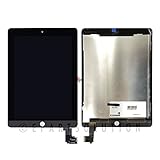
ePartSolution_iPad Air 2 A1566 A1567 LCD Display Touch Screen Digitizer Assembly Replacement Part USA Seller (Black)

iPad 5 iPad air 1st Model A1474 A1475 Black Digitizer Replacement Screen Replacement Glass Assembly - Includes Home Button Camera Holder Pre Installed Adhesive Stickers and Professional Tool Kit
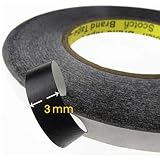
NIUTOP Adhesive Sticker Double Side Adhesive Glue Tape for Repair Touch Screen Digitizer LCD Screen Display - Iphone X,iphone 8,8 Plus,iphone 7,7S etc ( 3mm Black)

Fixcracked Touch Screen Replacement Parts Digitizer Glass Assembly for Ipad 2 + WIFI Antenna Cable(Black)

MMOBIEL Home Button Compatible with iPad Mini 4 7.9 inch/Air 2 9.7 inch/Pro 12.9 inch 2015 (Black) incl Screwdrivers
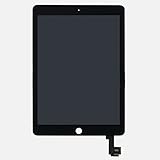
LCD display Digitizer touch screen Assembly For iPad Air 2 2nd Gen (Black)

Touch Screen Digitizer for 2017 iPad 9.7 - Front Glass Replacement with Home Button & Tool Repair Kit (A1822, A1823) - Black

Touch Screen Digitizer Assembled with Home Button Strong Adhesive for iPad 2 2nd Generation A1395 A1396--White

New iPhone 6S Screen Replacement LCD Dispaly for LCD Touch Screen Digitizer Assembly With 3D Touch Full Set Tools for iPhone 6S screen 4.7" White

COHK USB Charging Port Dock Flex Cable with Microphone and Headphone Audio Jack Replacement for iPhone 6 4.7 inchs Grey