

Fitness Tracker Smart Bracelet, Vcall Waterproof Bluetooth Smart Band Wristband Activity Tracker with Sports Pedometer Health Tracker and Sleep Monitor - Black
Product Description
Fitness Tracker Smart Bracelet, Vcall Waterproof Bluetooth Smart Band Wristband Activity Tracker with Sports Pedometer Health Tracker and Sleep Monitor - Black
- Steps taken at the very beginning will not be DISPLAYED immediately till your steps are getting STEADY. Pair the 2 devices on Zeroner - Sync App Homepage as this would make the pairing work much easier. If you have difficulty registering an account on app Zeroner, please contact us. We will effectively solve the problem
- Calculate steps, track walking distance, calorie consumption and monitor your sleep quality everyday. Gently remind you by vibration when there are any notifications coming in, you will not miss any important phone calls
- A standalone fitness tracker. The Bluetooth may disconnect when the 2 devices are out of a given restricted working distance. But do not worry, the bracelet can still track your steps or sleeping respectively, and it will update the data to Zeroner when connected to your phone again
- Support iPhone 4S/5s/5c/6/6s/6 Plus, iPad3 and IOS7.0 above; Android 4.4 above smart phones. Do a search for Zeroner on Apple Store or Google Play to get the sync app downloaded and installed
- The I5 S will clean the Data at 00:00 every day and automatic record your next day's sports data. Thought it is waterproof, you still need to clean this bracelet if there are any accidental water & oil contacts
App "Zeroner", get it free from Apple Store or Google Play store.
Requires Android 4.4 or above, IOS 7.0 or above os smart phone.
Specifications:
* Bluetooth Version: V4.0 BLE
* Stand by Time: 3-5 days
* Display Specifications: OLED screen
* Battery: lithium polymer battery
* Waterproof: IP 65(do not use it when take shower or swim)
* Charging Interface: Standard PC USB interface 5V/1A(pull out the two rubber clasp to take out the USB host)
Question:
1.How to set up "Zeroner" account?
Answer: Open the "Zeroner" App, please register a new account.
2.Question: How to connect the smart phone and the I5 S bracelet?
Answer: Keep your phone with the bluetooth and WIFI "ON".
First, Login in the "Zeroner", show the main page, tap the top left corner button or slip the screen from the left to right, and click " Device connection" .
Second, double press the bracelet touch screen,you will see a radar icon on the top of battery volume indicate,and then tap the button " Searching Device" on the App,select your right bracelet from the device list,and wait for 2 seconds.
Third, Android device will pop up" Device pair request" select the "confirm" to finish pairing. IOS device will pop up " Pair Device Success", "Bluetooth Pairing Request",click " Pair" and finish pairing.
Technical Specifications
You might also like

Linon 90375BGE-01-KD Chelsea Cushion Set

ATV Logic ATVEPB-B, ATV Padded Rear Pack (Black)
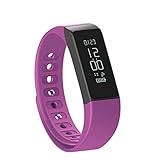
Fitness Tracker Pedometer Vcall I5 PLUS Waterproof Bluetooth Activity Tracker Sports Bracelet Smart Band Wristband Fitness Watch with Touch Screen Health Sleep Monitor for iPhone Android Phones

Caltric Starter Fits 14 tooth Briggs & Stratton 17 17.5 18 18.5

InterDesign Bamboo Floor Mat – Ideal Mat for Kitchens, Bathrooms or Offices - 24” x 48”, Mocha

Waist Trimmer Ab Belt Tummy Tuck Belly Burner Sauna Fit Trim Firm Curve Contour Weight Loss Abdominal Tone Muscle Toning Slim Easy Strong Exercise for Women & Men Home Gym by MakExpress
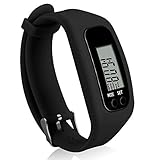
Fitness Tracker Watch, Simply Operation Walking Running Pedometer with calorie burning and steps counting by Bomxy

Orzly ULTIMATE PACK for Apple Watch (42 MM) - Gift Pack Includes Orzly Compact Stand & Multi-Pack of 20 Assorted Colour Orzly FacePlates

Linksys WRT 8-Port Gigabit Switch, Works with Linksys WRT1900AC Wi-Fi Router (SE4008)