

HDMI Cable, 6.4Ft MHL To HDMI Cable 1080P HDTV Adapter for iPhone 7 plus 7 6s plus 6 5s SE 5 Update Version

Product Description
HDMI Cable, 6.4Ft MHL To HDMI Cable 1080P HDTV Adapter for iPhone 7 plus 7 6s plus 6 5s SE 5 Update Version
Buyer Attention:
Due to copyright protection measures, you may not use multi-screen mirroring with some paid contents including Netflix, Prime (video only), hulu
, please refer to the terms and conditions of those apps.
No Need WiFi Connection, No Need Personal Hotspot/Airplay, No Need any app/driver to make it work, No Need cell network, No Need to worry it uses your data any more.
How to use:
1.Plug Lightning cable to your iphone or ipad directly.
2.Plug HDMI cable to your TV(output device) and switch the TV(output device) to HDMI channel.
3.Plug USB cable to power adapter or TV's USB port(5V,1A)(if no power, it will not work).
4.Please push the "trust" when your device show the message.
5.Wait 5 seconds or so, the synchronization screen is complete.
Package include
1 x Lightning HDTV cable
Not include the charger
Technical Specifications
You might also like
USB Car Charger,Shinefuture Retractable Cable Car Charger with USB Port for iPhone 6 6Plus iPhone 5 5S 5C iPod Touch 5 (White)
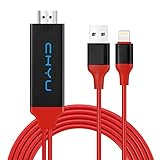
Lightning to HDMI Cable Adapter,iPhone HDMI Cable,6.5ft Iphone Digital AV Adapter 1080P HDTV Cable Plug and Play on HDTV Projector MHL Cable for iPhone,iPad,iPod

iPhone 6 6s Case White Marble,VIVIBIN Anti-Scratch Shock Proof iPhone 6 Protective Phone Case, Soft TPU Silicon Gel Case Cover for iPhone 6 / 6s 4.7"

White Marble iPhone 7 Plus Case,iPhone 8 Plus Case,VIVIBIN Shock Absorption Matte TPU Soft Rubber Silicone Cover Phone Case for iPhone 7 Plus/8 Plus 5.5inch (White Marble)