

HumanCentric High Stability VESA Mount Adapter Bracket Compatible with HP Pavilion 25xi, 25bw, 25vx, 27xi, 27bw, 27vx (V2) Includes Stabilizer and Hardware, Works with 75x75 and 100x100 Patterns
Product Description
HumanCentric High Stability VESA Mount Adapter Bracket Compatible with HP Pavilion 25xi, 25bw, 25vx, 27xi, 27bw, 27vx (V2) Includes Stabilizer and Hardware, Works with 75x75 and 100x100 Patterns
- Highest stability: Our unique stabilizer device and minimum-depth adapter ensure that your monitor will be rock-solid on the mount and won't shake during everyday tasks like typing or adjustments.
- Fits HP monitors: This bracket is only tested and guaranteed to work with: HP Pavilion 25xi, 25bw, 25vx, 27xi, 27bw, 27vx (Will not work with other brands or models)
- You’ll be able to install this bracket in less than two minutes with nothing more than a screwdriver. Just remove the existing base and snap ours in place instead, then connect it right to the VESA mount.
- Our handy cable slot is the perfect way to keep your cables organized. Rather than having them hang out the back of the monitor, just slip them right through the slot and run them back along your mounting arm.
- If you have any problems with your mount, send it right back to us. Our bracket will fit your monitor.
MOUNT THE UNMOUNTABLE
V2 is updated with our patent-pending stabilizer for more stability and pre-installed hardware!
Bought an HP Pavilion monitor and disappointed that you can't VESA mount it? This bracket enables you to mount select HP Pavilion monitors to a desk mount, articulating arm, or any other VESA mounting system.
Fits ONLY the following HP Monitors:
- 25xi
- 25bw
- 25vx
- 27xi
- 27bw
- 27vx
**DOES NOT FIT ANY OTHER BRANDS OR MODELS. Check to make sure your monitor is listed before ordering! **
Fits Standard VESA Hole Patterns: 75 mm x 75 mm, 100 mm x 100 mm
The only tool required for installation is a screwdriver that fits the screws that came with your VESA mount.
A VESA mount can be used to save desk space or provide additional viewing flexibility by mounting the monitor on a stand, movable arm, multiple-monitor mount, or a wall mount.
Technical Specifications
You might also like

VESA Mount Adapter for HP 27es, 27ea, 25es, 24ea, 23es, and 22es Monitors [Patent Pending] - by HumanCentric

Monitor VESA Adapter Arm/Mount Compatible with HP Pavilion 22F 22ER 22ES 22EB 22EA - 23ER 23F 23ES 23EB 23EA - 24F 24ER 24ES 24EB 24EA - 25F 25ER 25ES 25EB 25EA - 27F 27ER 27ES 27EB 27EA

Monitor Mount Stand - Adjustable Single Arm Desk Vesa Mount with Clamp, Grommet Base, HDMI Cable for LCD LED Screens Up to 32 Inch, Gas Spring Articulating Full Motion Arm Holds Up to 17.6Lbs
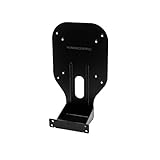
VESA Mount Adapter Bracket for HP Monitors 2011x, 2211x, 2311x, 2511x, 2711x (V3) - by HumanCentric

AVLT-Power Triple 32" Monitor Mount Stand - 3 Full Motion Articulating Height Adjustable Arms Holds Three Computer Screens - Gas Springs Monitor VESA Mount - Premium Aluminum

VIVO Dual LED LCD Monitor Free-Standing Desk Stand for 2 Screens up to 27 inches | Heavy-Duty Fully Adjustable Arms with Optional Bolt-Through Grommet Mount (STAND-V002F)
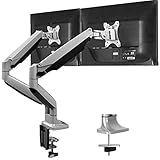
HUANUO Dual Monitor Mount Stand - Aluminum Gas Spring Monitor Desk Mount Full Motion Adjustable VESA Bracket for 2 13 to 32 Inch Computer Screen with Clamp, Grommet Base - Each Arm Hold up to 19.8 lbs
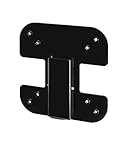
VESA Mount Adapter Bracket for AOC i2367Fh/Fm/F, i2757Fh/Fm, i2067f, and i2267Fw/Fwh - by HumanCentric

WALI Dual LCD Monitor Fully Adjustable Desk Mount Stand Fits 2 Screens up to 27 inch, 22 lbs. Weight Capacity per Arm (M002), Black

Mount-It! Triple Monitor Mount | Desk Stand with USB and Audio Ports | 3 Counter-Balanced Gas Spring Height Adjustable Arms for Three 24 27 30 32 Inch VESA Screens | C-Clamp and Grommet Bases Included