

Hopkog iXpand Android iOS Micro USB C Flash Drive 32g Mini Thumb Drive OTG Memory Stick 4 in 1 External Storage 3.0 Compatible Support iPad iPhone 6s 8 Plus 5s 7 Dual Samsung MacBook Devices
Product Description
Hopkog iXpand Android iOS Micro USB C Flash Drive 32g Mini Thumb Drive OTG Memory Stick 4 in 1 External Storage 3.0 Compatible Support iPad iPhone 6s 8 Plus 5s 7 Dual Samsung MacBook Devices
- iOS flash drives compatible with Andriod + Micro +Type C + USB connector and with apple devices can be used as iPhone 6 7 6s Plus 5s 5c 5 iPad flash drives air 2 new MacBook mini thumb drive android usbc flash drive
- Connect the ixpand flash drive easily move photos videos and other files off your iPhone or iPad and onto the ios flash drive from the iPhone flash drive you can also transfer these files into your Mac PC or other devices
- Quickly add 32 GB external memory expansion to your iPhone iPad & new MacBook transfer files to and from a computer laptop WITHOUT using a cable iTunes or iCloud Directly plugs into your type c port and USB 3.0 port experience up to 80 MB/s reading and 30 MB/s writing speed with USB port
- Usb-c flash drive stylish design texture of the metal shell usb c otg memory stick empty your android cellphones rapidly storage your datas to varies devices and this jump drive gives your family and friends a precious memory from now on
- Warranty and Support: Hopkog's 7*24 online support standing by.if you have any question please don't hesitate to contact us.
iPhone Micro USB C Andriod Flash Drive is a creative OTG Memory Stick which has four connectors, a perfect bridge linking between your type c Apple/ Android Devices and PC. Not only can easy and speedy transfer data and free up memory, but also can download a lot of movies/ TV to the ios flash drive, and just plugs to the cell phone play them everywhere.
Instructions:
 For IPhone mobile :
Plug the connector slightly to connect to iPhone, when you have connected the drive to your iPhone, The Y-disk Drive interface appears on the phone. Click and Allow ,then you can enter the interface to view the data USB drive .if there is no respond on the screen you can also scan the qr code to install the App follow the instruction.
 For Type-C connector:
 Plug the Type-C connector slightly to connect to mobile, when you have connected the drive to your mobile, the "USB Drive" will be appeared after you touch the screen and slide down from the top of the interface, then you can review the data in the USB drive. Or click to enter the files and select Local to see the USB drive.
 For Micro connector:
Plug the Micro connector slightly to connect to mobile, when you have connected the drive to your mobile, the "USB Drive" will be appeared after you touch the screen and slide down from the top of the interface, then you can review the data in the USB drive.
 For the computer:
plug it in the USB port on a computer and it works.
 Remark: The display is difference for difference mobile.After connect to the mobile,you just need to click "accept" or "allow" or Set "allow" from your OTG option in your mobile ,the you can view the USB drive data.Â
Technical Specifications
You might also like

Luowice Wireless Security Camera Outdoor 1080P WiFi IP Camera 180 Degree Fisheye Panoramic Surveillance Video CCTV Camera Night Vision 100ft Waterproof
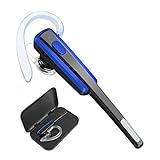
Bluetooth Headset, Lightweight Noise Reduction Earbuds, HandsFree Wireless Earpiece V4.1 with Mic for iPhone, Android Cellphones[Upgrade Version Bluetooth Headset+Case]

Bluetooth Headset, Oliston Ultralight Wireless Bluetooth Earpiece for Cell Phones with Noise Cancelling Mic- Compatible with iPhone, Android, and Other Smartphones (Black) …

No Show Socks Men 6 Pairs Cotton Mens Casual Non-Slip Low Cut Ankle Socks Size 6-12
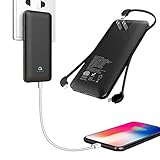
10000mAh Q Slim Power Bank Portable Charger External Battery Pack Charger 10000mah with Built-in Micro USB Tpye C Three Kinds Cable AC Wall Plug for Different mobilephone Black