

INKARENA Empty 5 Color Refill Ink Cartridge for Canon PGI250 251 Refillable Cartridge Compatible For Canon Printer MG5520 MG6620 MG5620 MG6320 MG7520 iP7220 MG5420 MG5422

Product Description
INKARENA Empty 5 Color Refill Ink Cartridge for Canon PGI250 251 Refillable Cartridge Compatible For Canon Printer MG5520 MG6620 MG5620 MG6320 MG7520 iP7220 MG5420 MG5422
- 5 Color Refill Ink Cartridge for Canon PGI250 251 For Canon Printer MG5520 MG6620 MG5420 MG5422 MG5522 MG5620 MG6320 MG6420 MG7120 MG7520 MX722 MX922 iP7220 iP8720 iX6820
- Save hundreds of dollars. Just buy ink from now on.Empty easy to refill, dye and pigment ink all is compatible, Consult us about the ink according to your choice,Designed to be filled and refilled hundreds of times.
- Empty set. Ready to be filled with your own ink.Ink and syringes are not included.The cartridge will leak once the red cap are removed. this is normal to this cartridge not the problem. Make sure wear gloves when you install them in.
- Vivid and fluent printing performance for finished product.High yield, high volume with excellent printing results,Can Work For Canon Printer MG5520 MG6620 MG5420 MG5422 MG5522 MG5620 MG6320 MG6420 MG7120 MG7520 MX722 MX922 iP7220 iP8720 iX6820
- With Auto reset chip, When Printer remind that ink is empty or ? or ! and ask for a new cartridge. take out the cartridge, install them into printer again, it will reset, show full ink.Auto reset chips installed.
Empty 5 Color Refill Ink Cartridge for Canon PGI250 251 Refillable Cartridge Compatible For Canon Printer MG5520 MG6620 MG5620 MG6320 MG7520 iP7220 MG5420 MG5422
Feature
1.For Canon Printer MG5520 MG6620 MG5420 MG5422 MG5522 MG5620 MG6320 MG6420 MG7120 MG7520 MX722 MX922 iP7220 iP8720 iX6820
2.Empty 5 color with auto reset chip PGBK, Black, Cyan, Magenta, Yellow
3. Fast Delivery, can refill repeatly, dye ink or pigment is compatible, save money for you !
User Manual
1.Before order,Confirm your Printer Model is compatible with these cartridges before placing order.
2.if an error shows up on the computer , please click "OK" , then the printer will go on to printÂ
3.After new cartridges installed, if streaks occur ,try re aligning your printer heads,then hit your printer clean option and that should take care of this issue.
4.If the printer does not recognize your cartridges ,please take them out and install again.
Packaging
1PCS X PGI-250 BK Cartridge
1PCS X CLI-251 PHBK Cartridge
1PCS X CLI-251 Cyan Cartridge
1PCS X CLI-251 Magenta Cartridge
1PCS X CLI-251 Yellow Cartridge
Technical Specifications
You might also like
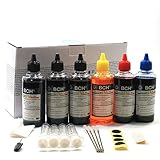
BCH® Standard 600 ml Refill Ink Kit for HP and Canon Printers

CANON PIXMA iX6820 Wireless Business Printer with AirPrint and Cloud Compatible, Black
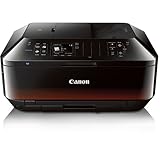
Canon Office and Business MX922 All-in-one Printer, Wireless and mobile printing

JetSir 5 Colors ink refill kit for Canon 250/251 225/226 125/126 270/271 1200 2200 1500 2500 ect, Use for Canon PIXMA iP7220, MG5420, MG5520, MG6420, MX722, MX922 Ect Printers
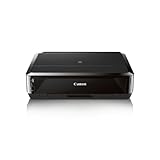
Canon Office Products IP7220 Wireless Color Photo Printer

ink4work Set of 30 Pack PGI-250XL & CLI-251XL Compatible Ink Cartridge Set for Pixma IP7220, MG5420, MG6320, MX722, MX922

Canon CLI-251 Ink Pack for MX922, MG6420, MG5420, MG6320, iP8720, iX6820, MG7520, MG6620
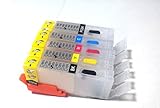
Brand F-INK@ 5pcs PGI-250 CLI-251 Empty Refillable Ink Cartridge For Canon PIXMA MG5420 IP7220 MX722 MX922 MG5520 MG6420 MG5620 MG6620 MG5522 iX6820 printers Empty Ink Cartridge