

Inkjetcorner Compatible Ink Cartridges Replacement for CLI-8 for use with Pro9000 Mark II (24-Pack)
Product Description
Inkjetcorner Compatible Ink Cartridges Replacement for CLI-8 for use with Pro9000 Mark II (24-Pack)
- Compatible with Pro9000, Pro9000 Mark II
- Premium Comaptible Ink Cartridges for CLI-8
- Includes: 3 of each (Black, Cyan, Magenta, Yellow, Photo Cyan, Photo Magenta, Red, Green)
Inkjetcorner inkjet cartridges for your printers are built to meet the same original specifications and performance standards as the OEM cartridges.
Compatible with the following printers: Pro9000 Mark II
How to install / replace new ink cartridge:
Step 1: Pull off tape (if any) the yellow/clear sealing tape on top of the cartridge. If there are no tape on the top, proceed to Step 2
Step 2: Turn cartridge upside down and remove the orange cap/bracket off the cartridge
Step 3: Insert the cartridge into the corresponding slot and push down on the cartridge until you hear a click sound
Step 4: This Step is optional. Run a Printhead clean on the cartridge. this will flush out residue leftover from previous use
NOTE: Due to printer drivers update, the LED lights may or may not light up for the compatible cartridges. however, you will be able to continue to print and the ink levels will display
Technical Specifications
You might also like

HIINK Compatible Ink Cartridge Replacement for Canon CLI-8 CLI8 use with Canon Pixma Pro6000 Pro6500 Pro9000 Mark II (2BK, 2C, 2M, 2M, 2PC, 2PM, 2R, 2G, 16-Pack)

8 Pack Compatible Canon CLI-8 1 Green, 1 Cyan, 1 Photo Cyan, 1 Photo Magenta, 1 Magenta, 1 Red, 1 Yellow, 1 Small Black for use with Canon Pixma Pro 9000, Pixma Pro 9000 Mark II (Mark 2). Ink Cartridges for inkjet printers. CLI-8BK , CLI-8C , CLI-8GR , CLI-8M , CLI-8PC , CLI-8PM , CLI-8R , CLI-8Y © Blake Printing Supply

3 Pack Compatible Canon CLI 8 , CLI-8 , CLI8 3 Small Black for use with Canon Pixma iP4200, Pixma iP4300, Pixma iP4500, Pixma iP5200, Pixma iP5200R, Pixma iP6600D, Pixma iP6700D, Pixma MP500, Pixma MP530, Pixma MP600, Pixma MP610, Pixma MP800, Pixma MP800R, Pixma MP810, Pixma MP830, Pixma MP950, Pixma MP960, Pixma MP970 Pixma MX850, PIXMA Pro9000, PIXMA Pro9000 Mark II Ink Cartridges for inkjet printers. CLI-8BK © Blake Printing Supply

Inkjetcorner Compatible Ink Cartridges Replacement for CLI-8 for use with Pro9000 Mark II (32-Pack)

CanonInk Photo Paper Plus Glossy II 13" x 19" 20 Sheets (1432C010)
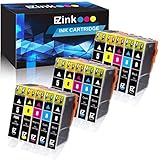
E-Z Ink (TM) Compatible Ink Cartridge Replacement for Canon PGI-5 PGI5 CLI-8 CLI8 to use with Pixma Pro9000 iP6600D iP4300 iP4500 MP600 (3 Large Black,3 Small Black,3 Cyan,3 Magenta,3 Yellow, 15 pack)

Canon CLI-8 8 Color Multi Pack Compatible to Pro9000, Pro9000 Mark II