

Johnson Level & Tool 1926-1000 Professional Carbonized Bamboo T-Bevel, 10", Bamboo Finish, 1 T-Bevel
Product Description
Johnson Level & Tool 1926-1000 Professional Carbonized Bamboo T-Bevel, 10", Bamboo Finish, 1 T-Bevel
- SLIDING T-BEVEL: This professional carbonized bamboo marking tool avoids the uncertainty from angle duplication and the issues that come with analogue readings and manual measurement transfer.
- PREMIUM DESIGN: This carpenter square has a carbonized bamboo handle with a routed hand grip and stainless steel edge; as well as a heavy-duty adjustable stainless steel blade that will never rust or corrode.
- HIGH ACCURACY: The sliding bevel square has a high-torque; sturdy locking lever that firmly locks the blade in position to keep the work correct while switching angles. It enhances accuracy and saves time to be able to retain and transfer angles between workpieces.
- APPLICATION RANGE: This 10" T-Bevel is excellent for carpenters and artisans working in workshops. It is great for measuring; storing; and transferring interior and outside angles while constructing cabinets; furniture; and picture frames; as well as laying tile; among other things.
- PRODUCT SPECIFICATIONS: The dimensions of this angle finder are 2.54 × 9.53 × 33.35 cm; and it weighs 136.08 Grams.
10" Professional Carbonized Bamboo T-Bevel Bamboo is harder than most woods used today and you don't have to cut down any trees go get it. How To Use a Sliding T Bevel The sliding T-bevel can be used to either originate an angle or trace and transfer a current angle. Listed are the steps necessary in order to use the sliding T bevel. To make a new angle: -Loosen the wing nut adjustment so that the blade is free to rotate. -Swing the blade until the desired angle between the handle of the bevel and the blade side is made. This may be best achieved by placing a protractor on the inside of the bevel itself (so that the protractor is resting on the wing nut) and measuring out the desired angle. -Lock the T bevel into place by tightening the wing nut. -Lay the T bevel on your working surface and draw the angle by tracing along the inside of the T bevel blade and handle. -Cut away! To transfer an existing angle: -Loosen the wing nut adjustment so that the blade is free to rotate -Lay the T bevel against the surface of the angle cut to be copied. -Rotate the inside edge of the blade to the existing angle until it matches the angle being transferred. -Tighten the wing nut until it locks the blade and handle in position. -Place the T bevel on the working surface and transfer the angle. -Draw out the angle by tracing along the bevel on the inside edge of the blade and handle.
Technical Specifications
You might also like

General Tools 17 Square Head Metal Protractor

Stanley 16-401 Bailey Chisel Set, 5-Piece

Johnson Level & Tool 1940-0800 Bamboo Try Square
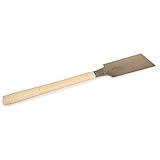
Ryoba 9-1/2" Double Edge Razor Saw for Hardwoods from Japan Woodworker

Eagle America 415-9307 Dovetail Marker
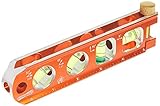
Swanson Tool TL041M 6-Inch Heavy-duty Magnetic Torpedo Level

Johnson Level & Tool 400EM-S 12-Inch Metal Combination Square

Stanley 46-071 Premium Quick Square Layout Tool, 7"

IRWIN Tools Rafter Square, Hi-Contrast Aluminum, 7-Inch (1794463)
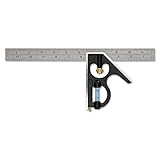
Empire Level E250 12-Inch Heavy Duty Professional Combination Square w/Etched Stainless Steel Blade and True BlueR Vial