
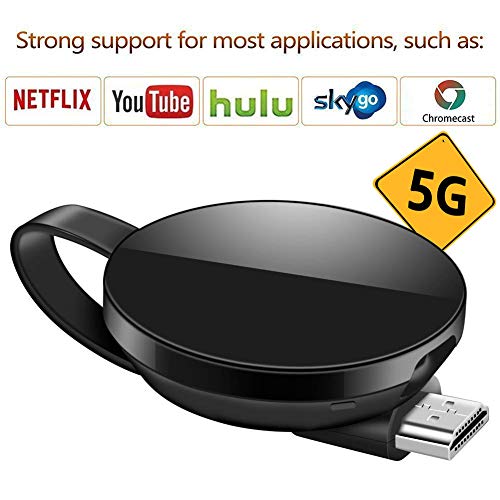
LONOSUN Wireless Display Adapter 5G/2.4G WiFi Dongle HDMI Display Adapter 1080P HD Support Chromecast/Chromecast Tv/DLNA/Airplay/Miracast for MacBook/Android / / iPhone X S MAX/8/7/SE
Product Description
LONOSUN Wireless Display Adapter 5G/2.4G WiFi Dongle HDMI Display Adapter 1080P HD Support Chromecast/Chromecast Tv/DLNA/Airplay/Miracast for MacBook/Android / / iPhone X S MAX/8/7/SE
- ◕‿◕ POWERFUL COMPATIBILITY: Supports Google Home, Miracast / DLNA / Airplay protocols. Compatible with Hulu, Netflix,Honda and encrypted video(Only for Android Phone). iPhone can cast YouTube and unencrypted videos.
- ◕‿◕ PLUG AND PLAY: No drive or APP needed. Wirelessly mirror and share all contents on the big screen: pictures, videos, online movies, web browsing, online shopping, documents and more. Requires power supply during operation (5V 1A)
- ◕‿◕ STABLE 5GHz Wi-Fi : 5GHz Wi-Fi/802.11ac, 2.4GHz/ 802.11 b/g/n, ensure signal transfering stably and fluently. Attached with WLAN antenna for 10M wireless signal coverage. Perfect for business meeting, home theater, gaming experience
- ◕‿◕ 1080 HIGH DEFINITION: The Wi-Fi display adapter can display the small screen of the phone, tablet PC or laptop to big screen devices such as HDTV or projector, high definition up to 1080P, gives you a great screen experience
- ◕‿◕ WARRANTY: Each Wireless HDMI Dongle provides a 90-day refund guarantee. Lifelong technology support. Our excellent customer service will provide you a perfect shopping experience.
Connect steps (iPhone for example)
1. Connect the display dongle to the projector and power the dongle, turn it into airplay mode. Connect the product's WiFi with iPhone;
2. Now you can mirror your phone on a big screen, but surfing the internet will spend the traffic of your iPhone;
3. Go to the website: 192.168.49.1, Lollipop Home---WiFi AP---Scan---Scan Result---Choose your home wifi name and enter password---Connect.
4. Once set up, your iPhone can mirror to big screen and use Wi-Fi to surf the Internet.
Compatible system:
Supports Android 5.0+ / iOS 9.0+ / Mac OS 10.9+
WiFi: 802.11 b/g/n, 802.11ac
5G WiFi: compatible with the 802.11ac standard, 5GHz WiFi delivering speeds is almost three times as fast as 802.11n.
Two ways to mirror videos on a big screen:
Connect the WiFi of the product or the external WiFi to which the product is connected, mirror your phone on the big screen,
play videos on your phone, then the video is also mirrored on the large screen. Click full video screen on your phone.
Connect the WiFi of the product or the external WiFi to which the product is connected, do not mirror your phone, open the video app,
select the video you want to play, play it on your phone, then click the cast icon,
then you can watch the video on big screen
About Netflix and Plex:
The wireless display adapter is not compatible with Netflix and Plex on IOS system.
How to mirror Netflix videos:
1. Open Google Home APP on your Android system;
2. Click cast option;
3. Choose the device
How to convert between 2.4G and 5G:
On old version, the default WiFi is 5G, but on the upgraded version, you can choose 2.4G or 5G WiFi:
Connect the product wifi -- Go to webside: 192.168.49.1 -- Settings -- choose 2.4G or 5G -- submit.
Technical Specifications
You might also like
ATETION Watch Charger, iWatch Charger Charging Cable, Magnetic Wireless Portable Charger Pad 3.3 ft/1.0m Charging Cable Cord for iWatch Series 3 2 All 38mm 42mm iWatch
LONOSUN WiFi Wireless Display Dongle 1080P Mini Receiver Sharing HD Video from Projectors Cell Phones Tablet PC Support Airplay/Chromecast/Chromecast Tv/Miracast/Miracast Dongle for Tv