

LRTimelapse PRO Timer 2.5 Camera Intervalometer for Time Lapse and Astro Photography - Adjustable Interval Length - 0.1 Seconds
Product Description
LRTimelapse PRO Timer 2.5 Camera Intervalometer for Time Lapse and Astro Photography - Adjustable Interval Length - 0.1 Seconds
More Information
This device can also be used in combination with motion control hardware running in slave mode. Optionally,
the camera can be operated in bulb mode (for astro-photography) for time-lapse and single exposure photos.
The LRT Pro Timer is a high performance accessory that is compatible with any camera that has a standard release
cable (DSLR/DLSM, Nikon, Canon, Sony, Fuji, Olympus, Leica and others).
It supports two cameras, timed recordings, the display can be used as a flashlight for foreground illumination,
high contrast and switchable OLED display, and is simple to operate.
A standard camera release cable is not included and must be purchased separately. The LRTimelapse is compatible
with these and other cables:
- SC-N1 (for Nikon models)
- SC-N4 (for Nikon models)
- VMC115 (for Canon models)
- 3.5 mm jack to AS 5.1 (various cameras)
- 3.5mm jack to micro USB
Uses
📷 Astrophotography
📷 Blooming flower photography
📷 Wildlife photography
📷 Polar lights photography
📷 Holy grail timelapse
📷 Sun rises and sunsets
Technical Data
📷 Fast ATSAMD21 Cortex M0 processor
📷 Battery powered real time clock (CR1220 button cell)
📷 2 camera outputs with standardized 3-pin 2.5mm jack sockets (TRS)
📷 2 hot shoe clips for easy attachment of the timer to the camera
📷 2 eyelets on the housing for attachment to the tripod
📷 128 × 32 pixel dimmable black and white OLED display
📷 Easy to use interval ramping
📷 Tested temperature range: -4° F to 104° F
📷 Intervals from 0.3 sec to 12h
📷 Interval steps: 0.1 sec
📷 Number of shots: 1 to unlimited
📷 Bulb times up to 24 hours
📷 Built in 500mAh LiPo battery
📷 Charging via micro USB
📷 Battery life: approx. 24h / 21,000 shots (tested with interval: 4 seconds, display on)
📷 Simple firmware updates via drag-and-drop installation with UF2 files
Technical Specifications
You might also like

PHOLSY 2.5mm S8 Off-Camera Remote Shutter Release Connecting Cord Cable for Sony Cameras, Replacement Sony RM-SPR1 Cable

PHOLSY 2.5mm N8 Off-Camera Remote Shutter Release Connecting Cord Cable for Nikon Fujifilm Kodak Cameras, Replacement Nikon MC-30A Cable

PHOLSY 2.5mm N10 Off-Camera Remote Shutter Release Connecting Cord Cable for Nikon Cameras, Replacement Nikon MC-DC2 Cable

PHOLSY 2.5mm C6 Off-Camera Remote Shutter Release Connecting Cord Cable for Canon Fujifilm Pentax Samsung Contax Sigma Cameras, Replacement Canon RS-60E3 Cable

PolarPro WiFi Tripod Adapter for DJI Osmo Pocket (for WiFi Base Accessory)

PROTAGE Condensation Prevention Lens Heater Evening Dew Remover USB Warmer P-LH02

Inside PixInsight (The Patrick Moore Practical Astronomy Series)
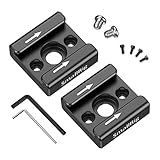
SMALLRIG Cold Shoe Mount Adapter Bracket Hot Shoe with 1/4" Thread for Camera Cage Flash LED Moniter, Pack of 2-2060
VSGO DDR24 DSLR or SLR Camera Full-Frame Sensor Cleaning Kit (12 X 24mm Sensor Cleaning Swabs + 15ml Sensor Cleaner)