
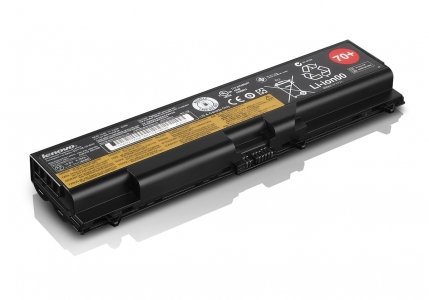
Lenovo Battery 70+, p/n; 0A36302, 6 Cell Original Retail Package Lithium Ion ThinkPad System Battery for Select Models.

Product Description
Lenovo Battery 70+, p/n; 0A36302, 6 Cell Original Retail Package Lithium Ion ThinkPad System Battery for Select Models.
- Original Manufactures Factory Sealed Retail Packaging.When Searching for a Lenovo Replacement Battery - Search by the Number on your old battery that is in the Red Circle.
- Lenovo 0a36302 ( 45N1001, 45N1003, 45N1005) OEM in the Security Sealed Lenovo Retail Packaging to ensure receiving a genuine Lenovo battery.
- 0A36302 Lenovo 6 cell Battery 70+ , 57wh , 5.2ah, 10.8v , 340 grams
- Lenovo 0A36302 70+ Is Compatible With Thinkpad models ;T410 ( not the T410s), T410i , T420 ( not the T420S), T420i, T430( not the T430S), T430i, T510 (Not the T510S) , T520( Not the T520S) , T530, W510, W520 , W530, L412 , L420, L430, L510, L512, L520, L530
- Lenovo Battery Reset May Be Needed If Your System Is Not Recognizing The Item. Remove And Re Install The Item To Fix This Issue. This Is Due To Recent Windows Updates.
When Searching for a Lenovo Replacement Battery - Search by the Number on your old battery that is in the Red Circle. Lenovo 6 Cell Battery 70+ ( 0A36302, Original Packaging) For L412, L420, L430, L512, L520, L530, T410, T410i, T420, T420i, T430, T430, T510, T510i, T520, T520i, T530, T530i, W510, W520, W530. WARNING - not used in T410S, T410si, T420S, T420SI, T430S, T430SI, W500 , P Series, X Series , E Series or T440 Series.Lenovo Battery Reset May Be Needed If Your System Is Not Recognizing The Item. Remove And Re Install The Item To Fix This Issue. This Is Due To Recent Windows Updates.
Technical Specifications
You might also like
Lenovo Retail Part Number 0A36302, Thinkpad Battery 70+ , 6 Cell Original Factory Packaging For Select
Lenovo Genuine 9 Cell Extended Life Thinkpad Battery 70++ ( Mfg p/n; 0A36303 - 70++ , Original Sealed Manufacturers Retail Packaging )

Original ThinkPad Pro Dock ( 40A10090US ) With 90W AC Adapter Factory Sealed Lenovo USA

Lenovo ThinkPad USA Ultra Dock With 90W 2 Prong AC Adapter (40A20090US, Retail Packaged)

Lenovo ThinkPad 90W AC Adapter - power adapter - 90 Watt ( 40Y7659 )

Lenovo Thinkpad Battery 57+, 0C52863 6 Cell Lithium-Ion Battery Compatible for W541, W540, T440p, T540p, W540, L440 and L540 Systems.
Lenovo Thinkpad 65W Laptop Charger Adapter Power Cord for T400 T410 T420 T420S T430 T430s T430u T500 T510 T520 T530 T60 T61 X120e X130e X131e X140e X200 X201 X220 X220T X230 X230t X300 X60 X61
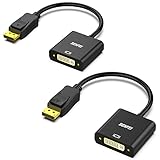
DisplayPort to DVI DVI-D Single Link Adapter 2 Pack, Benfei Display Port to DVI Converter Male to Female Black Compatible for Lenovo, Dell, HP and Other Brand
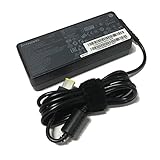
Lenovo Thinkpad 90W Slim Tip Standard AC Adapter for Slim Tip Models Only - Retail Packaging (0B46994)

Crucial 16GB Kit (8GBx2) DDR3/DDR3L 1600 MT/S (PC3-12800) Unbuffered SODIMM 204-Pin Memory - CT2KIT102464BF160B