

Lightning to HDMI Adapter, Lightning Digital AV to HDMI 1080P Cable Adapter Connector for iPhone 7 7 Plus 6s 6s Plus 6 6 Plus 5 5c 5s SE, iPad Air/Mini/Pro, iPod Touch 5th/6th MHL plug and play Silver
Product Description
Lightning to HDMI Adapter, Lightning Digital AV to HDMI 1080P Cable Adapter Connector for iPhone 7 7 Plus 6s 6s Plus 6 6 Plus 5 5c 5s SE, iPad Air/Mini/Pro, iPod Touch 5th/6th MHL plug and play Silver
- Not Compatible with Netflix, Amazon Video,HBO go, and Honda motor!!!!!! LIGHTNING DIGITAL AV CABLE supports mirroring of what is displayed on your device screen - including apps, presentations, websites, slideshows and more - to your HDMI-equipped TV, display, projector or other compatible display in up to 1080p HD.
- COMPATIBLE WITH MOST APPLE DEVICES: Included iPhone X/8/8 plus/7/7 plus/6s/6s plus/6/6 plus/5s/SE/5/5c/iPad mini 2/mini 3/mini 4/Air 2/iPad Pro/ iPod Touch 5th/6th Gen.
- PLUG and PLAY:Lightning to HDMI no need any App & Personal Hotspot. As long as you insert each interface to corresponding device, just wait a few seconds and they will automatically be connected.
- This iPhone HDMI CABLE adapter isn't designed for charging purposes.Only can connect the device which has HDMI interface, do not connect computer or laptop or tablet.
- CONNECTORS: Lightning (input) / HDMI (output) / USB 2.0 (power supply: 5V/1A). If there is any question about using method or any problem,please feel free to contact us, we will try our best to help you.
Note:
1.Please make sure of right adapter(5V/1A),5W for iPhone,10W/12W for iPad.iPhone/iPad original adapters are the best choices.If lower voltage,it will not work very well.
2.Due to copyright protection measures,you may not use multi-screen mirroring with some paid contents including Netflix, HULU, Prime videos, directv and other paid videos,please refer to the terms and conditions of those apps.
3.This iPhone HDMI CABLE adapter isn't designed for charging purposes.
4.Only can connect the device which has HDMI interface.
5.Only can connect the device which has HDMI interface, do not connect computer or laptop or tablet.
6.It works in full screen if the screen is within 70 inches, otherwise it won't.
7.It may show" not support this accessory" after you click "trust",please click close and wait ten seconds then it's OK.
Technical Specifications
You might also like

Smartphone Projector, Artlii Micro Smartphone Pocket PC Video Mini Pico Laptop Projector Home Cinema Portable Projector
Cell Phone Signal Booster 4G Lte Verizon Mingcoll Cell Phone Signal Booster 700MHz Band 13 Mobile Phone Signal Repeater Amplifier with Antenna for Home (Verizon 4G CJP)

JIFAR Adjustable Inline Skates for Kids, Roller Skates with All Wheels Light Up Illuminating Rollerblades for Girls and Boy, Ladies,30-day Guarantee!
Micro USB to HDMI Adapter for Android Devices, 6 feet Male to Male cable +Micro 5pin to 11pin adapter(for Samsung Galaxy S2, S3, S4, S5, Note 2, Note 3, Note Edge (NOT for Galaxy S6 S7 S7 Edge, S8)

High-Speed Dock to HDMI TV Adapter Cable Connector + Dock Charging Slot for iPhone/iPad/iPod Touch iPhone 4 4S iPad 2 3

RAGU Z400 Mini Projector, Multimedia Home Theater Video Projector with +21% Lumens 50,000Hours Support HDMI VGA USB AV SD Connected with Laptop/iPad Smartphone Xbox for Movie Game Party(2018 Upgraded)
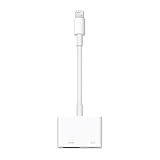
Apple Lightning Digital AV Adapter for Select iPhone, iPad and iPod Models (MD826AM/A)