

Linkswell Carplay Dongle USB Adapter Smartphone Link Receiver Charger for Android Radio,Navigation System Support Touch and Voice Control Fit for Android and Apple Phone Siri Sintegrate
Product Description
Linkswell Carplay Dongle USB Adapter Smartphone Link Receiver Charger for Android Radio,Navigation System Support Touch and Voice Control Fit for Android and Apple Phone Siri Sintegrate
- COMPATIBLE DEVICES :This carplay dongle is ONLY compatible with radio based on Android system(O.S version:4.4.2 or above),it DOES NOT work with non-Android radio and factory radio!This USB carplay dongle adapter supports iPhone5 and above mobiles(iPhone11/11PRO/11PRO MAX/XR/XS/XS MAX/X/8/8Plus 7 / 7 Plus / 6s /6s plus/6/6 plus/5s)&Android mobile phones.Any question, feel free to contact us via email ( [email protected] )and we will reach you at the soonest.
- INSTALLING THE "AUTOKIT" APP BEFORE YOU BUY IT : " https://bit.ly/2FvHAmV " Here is the "Autokit" App download address,you can install the "Autokit" App into your car stereo before buy it. Download the APK of "Autokit" App to your USB flash drive, plug USB Flash Drive to USB Port of the Car stereo and go to file management and install the APK into your car stereo.Your car stereo could be compatible with this carplay dongle adapter if you could install the "Autokit" App into your car stereo.
- INSTRUCTIONS : 1. Install the Autokit app on your car stereo (If you need any helps on installation or use,fell free to contact us for help )2.Connect Carplay Dongle to your Car stereo by USB. 3.Connect your Mobile Phone to Carplay Dongle with your phone USB cable.4.For the first time,run the app "Autokit" APP on your car stereo and you will experience the Apple CarPlay / Android Auto feature after connection.
- VOICE CONTROL AND TOUCH SCREEN : It can work with Siri/ Maps/ Music/ Phone Call. Support voice commands to make phone calls, use Maps(Support Goolge Map and Waze), listen to your favorite songs using iTunes, Apple Music, or installed app and access to messages.Bidirectional control and view your phone on the car radio screen with USB cable.
- WHY WE RECOMMEND OUR PRODUCTS TO YOU: LinksWell is a subsidiary of Sintegrate.Backed by more than 25 years of automotive electronics engineering,Linkswell have a professional team of experts in this area.Every Linkswell product includes a 30 days money back & One year warranty.Any question, feel free to contact us via email ( [email protected] )and we will reach you at the soonest.
COMPATIBLE PHONESÂ
This USB carplay dongle supports iPhone5 and above mobiles(iPhoneXS/X/8/8Plus 7 / 7 Plus / 6s /6s plus/6/6 plus/5s)&Android mobile phones.Plug & Play with both iOS and Android phone.
PLEASE NOTE:For Android smartphones, make sure that your Android phone can download and install "Android Auto" app from Google Play Store,so that you can use this feature on the android phone.
COMPATIBLE CAR RADIO(ONLY compatible with Android Radio)
This USB carplay dongle is ONLY compatible with Android Radio (O.S version:4.4.2 or above), doesn't support original radio with non-android system.It does not work with non-Android car stereo and factory car stereo!
INSTRUCTION
1.Install a dedicated APP "Autokit" on your Android Radio
PLEASE NOTE:Autokit APK file included with purchase on a USB flash drive or you could ask us for the latest APK file.
HOW TO INSTALL THE AUTOKIT APP ON YOUR ANDROID HEAD UNIT?
- Â Plug USB Flash Drive to USB Port of your car radio
- Â Go to file management and install the apk
2.Connect carplay dongle to the USB port of your car head unit
3.Connect your mobile phone to carplay dongle with USB cable.
4.Run the app "Autokit" on your car head unit and you will experience the Apple CarPlay / Android Auto feature on your car head unit.
Please note:Make sure you are using original/factroy phone cable for connection, low quality aftermarket phone cable may lead to unstable connection or failure for connection.
Package
 1 x Linkswell Carplay Dongle Box
1 x USB Drive (With Installation APK)
1 x User Manual
Technical Specifications
You might also like
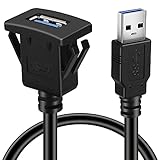
BATIGE Square Single Port USB 3.0 Panel Flush Mount Extension Cable with Buckle for Car Truck Boat Motorcycle Dashboard 3ft

Maestro Acc-SAT-TO2 Sat Radio and GPS Antenna adaptors for TO2 Vehicles
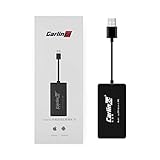
Carlinkit Wireless Carplay Dongle USB Adapter Only for Car with Android Head Unit Navigation Player, add Function Carplay/Android Auto/Mirror Screen/Support iOS13 Split Screen Bluetooth

10.25" Car Navigation Touch Screen for Mercedes Benz C CLK Class W204 2008 to 2010, 4GB RAM 64GB ROM 1920x720 High Resolution Blu-ray Screen GPS Car Navigation Stereo Radio Multimedia Play

eSATAH Car Rear View Camera for Mercedes Benz C180 C200 C280 C300 C350 C63 AMG & HD CCD Night Vision Waterproof and Shockproof Reversing Backup Camera
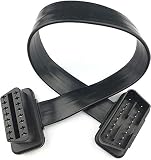
Full 16pin Pass Through OBD II OBD2 Extension Cable Flat Ribbon Cable with Angled connectors 30cm/1ft 16pin
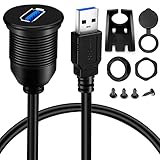
BATIGE Single Port USB 3.0 Male to Female AUX Car Mount Flush Cable Waterproof Extension for Car Truck Boat Motorcycle Dashboard Panel - 3ft

Metra 95-3305 Double DIN Installation Dash Kit for 2006-up Chevrolet Vehicles
ICESPRING USB 3.0 Male to USB 3.0 Female AUX Flush Mount Car Mount Extension Cable for Car Truck Boat Motorcycle Dashboard Panel -(3 Feet - 1 Meter)