
MAXBO® New Version/Upgraded Sports Wireless Stereo Bluetooth 4.0 Headphones Earbuds Headset Earphones-Black
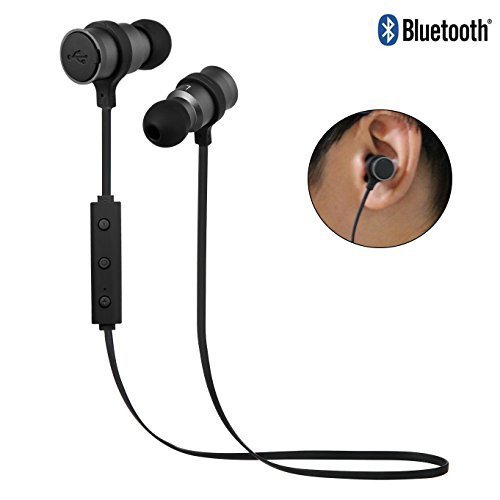
Description
- Adopt Latest Bluetooth V4.1, headset compatible with most bluetooth devices, Easy and fast pairing
- Stylish Lightweight and Sweatproof,perfect for sports,travel or office,with noise cancellation
- The Perfect Holiday Gift For any Sport or Workout Enthusiast
- Perfect Hi-Fi Stereo Sound: Sports Headphones built-in HD Mic,ensure Hi-Fi Stereo Music Sound and Strong Signal
- Super Comfortable for Wearing and Your Ear,Unexpected Ultral-long Standby Time,Excellent Sweatproof
Technical Specifications:
Bluetooth Version:V4.0
Talking Time: 7 hours
Music Time: 4 hours
Operation Range: up to 33ft
How to Connect the Headphones with Your Cellphone(for the first time):
1. Open the Bluetooth function on your cell phone;
2. Long press the headphones' answer button for 3 seconds, you will hear "power on",
3. when red and blue LED light flash alternately, it is turning into pairing mode"paring".
4. Use phone Bluetooth to find a Bluetooth device, then select this device to pair.
5. After pairing this device, Headphones will give a voice remind "Your device is connected".
6. Play music
7. Long press the power/answer button, headphones will give a voice remind "power off".
8. Long press +:"volume up", Long press -"volume down"
9. Short press +"forward" next song, Short press - "backward"
No need to repeat all of above steps the next time to pair, you only need to:
1. Open the Bluetooth function on your cell phone;
2. Short press the answer/power button, after hearing "power on", release the button, then you will hear "Your device is connected".
3. Just play music directly.
Package Include :
1*Earphone
1*USB Charger Cable
3*Ear Rubbers
1* User manual