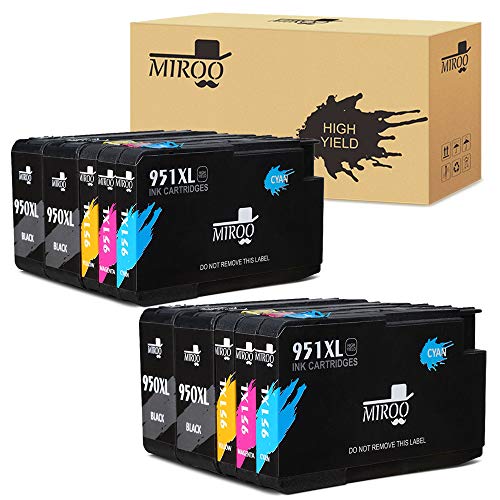

MIROO Compatible Ink Cartridge Replacement for HP 950 951 XL High Capacity(4 Black 2 Cyan 2 Magenta 2 Yellow,10-Pack),Work with HP Officejet Pro 8610 8620 251dw 271dw 276dw 8630 Printer
Sold Out / Out of Stock
This item may be available in a different size, colour, scent, version or platform:
MIROO Compatible Ink Cartridge Replacement for HP 950 951 XL High Capacity(4 Black 2 Cyan 2 Magenta 2 Yellow,10-Pack),Work with HP Officejet Pro 8610 8620 251dw 271dw 276dw 8630 Printer
Kogain products bring you a brilliant experience. The output is vivid and clear, saving the half of cost for you. Provide preferential price, get a amazing quality.
Content: Remanufactured For HP 61 61XL Ink Cartridges (2 Black)
High Yield: ~ 480 Pages per Black. 5% coverage at A4.
Contact us: All Kogain products have a two-year money back policy. Any issues please click YELENG then select Ask a question. We will respond to you within 24 hours.
Description As Follows: Model Name: HP 950xl 951 (xl mean holding more ink ).
MIROO Replacement HP 950XL 951 Ink Cartridges Use With: HP Officejet Pro 8600 Printer. HP Officejet Pro 8610 Printer. HP Officejet Pro 8620 Printer. HP Officejet Pro 8630 Printer. HP Officejet Pro 8640 Printer. HP Officejet Pro 8660 Printer. HP Officejet Pro 8615 Printer. HP Officejet Pro 8625 Printer. HP Officejet Pro 251dw Printer. HP Officejet Pro 271dw Printer.
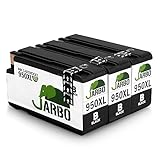
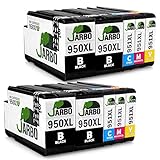
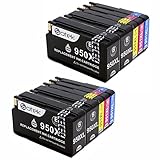
For The Packaging All of our cartridges are protected in an individual plastic bag,very convenient for storage, include in the box:4 Black, 2 Cyan, 2 Magenta, 2 Yellow Total 10-pack.
Super-High Capacity Ink Volume: Black 80ML, Cyan/magenta/Yellow 30ML per color, Page Yeild: 2300 pages per black cartridge ,1500 pages for color cartridge.
Worry-Free Warranty At MIROO, we believe in our products. That's why we back them all with an 24-month warranty and provide friendly, easy-to-reach support.
Customer Service Contact Please find your order and click 'Contact Seller',then you can send Email to us ,we will reply you in less than 24 hours.
Warm Tips: • Plese confirm your Printer Model before placing order. • Please tear the Black Cyan Magenta Yellow tips off before install. • Please clean the printer heads everytime you change ink,That more than anything will keep your printer running smoothly. • The computer would appear Non-Genuine, please click Yes continuously, then the printer can go on to print. • If you receive the ink can not recognize your printer please turn off 30 second then turn on and install again ,also you can try take the ink out and use tissue with rubbing alcohol clean the chips softly.
Please do not hesitate contact our customer service for any requirement.