

FANMIS Unisex Elegant Plane Style Digital Display Waterproof Outdoor Sports Silicone Strap LED Wrist Watch (Green)
Product Description
FANMIS Unisex Elegant Plane Style Digital Display Waterproof Outdoor Sports Silicone Strap LED Wrist Watch (Green)
- 7 COLOR LED BACKLIGHT with COMFORT BAND STRAP. 7 color bright LED back lights (long press top left button to change) makes time reading super easy and fun, soft imported PU watch band bring comfortable wearing experience.
- MULTI-FUNCTIONAL: Calendar Month / Day / Date, Alarm, Water Resistant, LED Display, Back Light, Shock Resistant, Stop Watch. What you waiting for? This a great value watch you don't want to miss.
- Solid stainless steel back cover. Water resistant. Battery: CR2025 Battery Life: 3 Years
- Fashionable, very charming for all occasions. Amazing looking watch, a great gift for family and friends.
- Water resistant up to 5 ATM (Suitable for everyday use. Splash/rain resistant.NOT suitable for diving, swimming, snorkeling, water-related work)
Keep up with the fashion you could not miss this elegant digital wrist watch! This fashionable digital display led wrist watch offers high precision and elegant appearance. This watch is very durable and support long time using. This wrist watch provides your schedules never get early or late. The watch features LED display, time is directly showed on it. Practical and stylish, this LED digital wrist watch well serves as a foil to your personality!
Instruction:
1. Turn on/ change light effects:
Press the Left Up button to turn on the effects. Hold the Left up button at least 3 seconds for changing light effect.
2. Check date:
Press the Right Up button only once at standard time indication.
3. Chronograph function:
Press the Left Down button once and the Right Up button to start/ pause the stopwatch
Press the Right Down button for recovering.
4. Set alarm time:
Under standard time indication, press the Left Down button twice and enter into the alarm setting mode. the Right Up button to set alarm and the Right Down button to shift.
5. Turn on/ off alarm:
In normal mode, hold The Right Up button and press the Right Down button to turn on/ off alarm.
6. Adjust time, date, day of week:
Under standard time indication, press the Left Down button thrice and enter into the time/date/week setting mode.
A.SET time: Tap the Right Down button once the minutes will flash, tap the Right Up button to adjust correct minutes.
B.SET DATE: Tap the Right Down button thrice the date will flash, tap the Right Up button to adjust correct date.
C.SET WEEK:Tap the Right Down button five times the weeks will flash, tap the Right Up button to adjust correct week .
7. Switch 12/24-hour systems:
Under time setting mode, 12/24-hour system can be shift while adjusting Hours.
Technical Specifications
You might also like

Military Cool LED Display Colorful Light Digital Hunter Camo Silicone Sport Stealth Fighter Style Watch
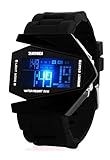
Military Cool LED Display Colorful Light Digital Sport Stealth Fighter Style Watch with Silicone Strap

Army Camouflage Wallet Nylon Velcro Trifold Kids Wallets for Boys Camo Hunting (1)

Gosasa Men Sports Military Watches 5 ATM Digital Airplane Shaped Fashion LED Colorful Light Men Watch (Black)
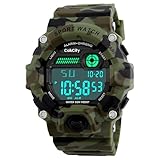
Boys Camouflage LED Sport Watch,Waterproof Digital Electronic Casual Military Wrist Kids Sports Watch With Silicone Band Luminous Alarm Stopwatch Watches

Boys Digital Sport Watch, Kids LED Electronic Waterproof Outdoor Watches Boy Running Cool Fashion Watch

Gosasa Multi Function Military S-shock Camouflage Green Sports Watch LED Digital Waterproof Alarm Watches

Kids Army Camouflage Combat Vest - Fits Ages 5-13 Yrs

Fanmis Men's Digital 50M Waterproof Electronic Sport Watch Rubber Band Army Military 24H Time LED Light 164FT Water Resistant Calendar Date Day Watches Camouflage Green

Camp Solutions 3 Season 23-Degree Sleeping Bag Waterproof Lightweight Envelop Easy Compress Portable for Camping, Hiking