
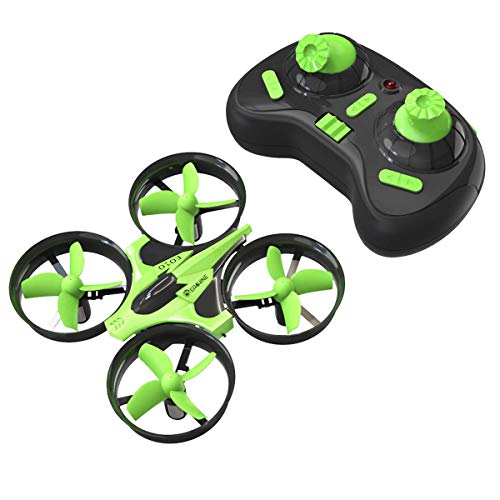
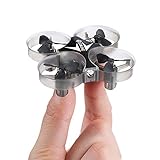
Mini Quadcopter Drone, EACHINE E010 2.4GHz 6-Axis Gyro Remote Control Best Nano Quadcopter Drone Boys Girls - Headless Mode, 3D Flip, One Key Return (Green)

Product Description
Mini Quadcopter Drone, EACHINE E010 2.4GHz 6-Axis Gyro Remote Control Best Nano Quadcopter Drone Boys Girls - Headless Mode, 3D Flip, One Key Return (Green)
- Low price and Practical:Low price and Durability is the best choice for beginners, as well as a good gift for people.
- 3D flip and High low speed mode:The drone can perform 3D rollover performance, free to switch between high and low speed modes, have more fun.
- One-key return: The drone can auto locate the remote control, just press the one key return button, the drone will fly back to the remote control's location.
- Compass Mode: The drone will change its flight direction with the change of the direction of remote control.
- Steps to Match Code: 1. Turn on the quadcopter then turn on the controller; 2. Push the throttle(left lever) to the top , and then pull it down; 3. When you hear a "Beep", which means the connection was set up successfully, and then you can start to fly your drone.
Description:
Item name: Eachine E010 Mini Quadcopter
Quadcopter Size: 9.5X9.5X5CM
Box Size: 14X8.6X11CM
Gyro: 6-axis
Frequency: 2.4G
Channel:4CH
Battery: 3.7V (150MAH) (included)
Flight time: about 5 minutes
Charging time: 30 ~ 50 minutes
Flying distance: 30 meters
Function: up / down / left turn / right turn / forward / back / left side fly / right side fly / speed file/ 360° flip/ a key return / headless mode / memory function
Commen Problem and The Solution:
1. Quadcopter lost connection to controller: Pull two function lever to bottom left for 3 seconds, then pull two function lever to bottom right for 3 second. Then try to mach code again(Follow Bullet points 4 );
2. Quadcopter can't lift up: Check the propeller to make sure it was installed correctly(diagonal propellers must be the same direction );
3. Motor not spin: Check the motor to see if anything stuck the motor(hair, string, etc)
4. Package comes without spare part: Please feel free to contat us first via Amazon .com or [email protected].
Package included:
1x Quadcopter
1x Transmitters
1x USB charging cable
1x manual
4x propeller
Technical Specifications
You might also like

Noiposi 6PCS Upgraded 3.7V 150MAH Battery with X6 Charger Conversion Cable for JJRC H36 Eachine E010 GoolRC T36 NIHUI NH010
EACHINE E010 Batteries, 3.7V 150MAH 30C Lipo Battery USB Cable Charger Set for EACHINE E010 E013 JJRC H36 GoolRC T36 Quadcopter

Crazepony Mini Quadcopter Frame Kit with Props Removal Tool for Tiny Whoop Eachine E010 JJRC H36 Quadcopter
4pcs 1S 3.7V 220mAh LiPo Battery 35C with 6 in 1 Charger and Cable for Eachine E010 JJRC H36 NIHUI NH010 GoolRC T36 RC Quadcopter Drone Spare Parts
EACHINE 4X Propeller Blade Sets E010 Blade (Red)

YouCute 6PCS 240mah Upgrade Battery and 1to6 Charger for Poke FPV Eachine E010 JJRC H36 NIHUI NH010 GoolRC T36 Rc Quadcopter Drone Spare Parts(6PCS 240mAh Batteries +Charger)
Mini Quadcopter Drone for Kids and Adults, EACHINE E012 Super Mini Drone RC Nano Quadcopter Easy and Fun 2.4G 4CH 6-Axis Black RTF-3D Flips, One-Key Rutrn, Headless Mode, LED Light, Speed Control