

Mosiso MacBook Air 11.6" Case, Ultra Slim Soft-Touch Plastic See Through Hard Shell Snap On Cover for MacBook AIR 11-inch (Models: A1370 and A1465), Serenity Blue
Product Description
Mosiso MacBook Air 11.6" Case, Ultra Slim Soft-Touch Plastic See Through Hard Shell Snap On Cover for MacBook AIR 11-inch (Models: A1370 and A1465), Serenity Blue
- The case Only fits for Macbook Air 11" No CD-ROM (A1370/A1465), No Cut Out design, transparency is different from color to color
- WARNING: This case can't Fit Macbook Pro 13" with Retina Display(A1502/A1425), Macbook Air 13"(A1369/A1466), Macbook Pro 13"(A1278), Macbook White 13"(A1342)
- Please kindly check the model number "A1xxx" on the back of the laptop before your purchase
- Fully vented for safe heat disbursement,Fully access to all buttons and features. Snap on design, easy on easy off. Plug your charger, cable or headset without removing the case
- Mosiso 1 year warranty on case and Mosiso lifetime warranty on rubber feet
Mosiso® High Quality Soft-Touch Plastic Hard Case Series
Specifications
— Designed to fit MacBook Air 11.6" A1465 / A1370
— Snap on design, easy on easy off
— Fully access to all buttons and features
— Plug your charger, cable or headset without removing the case
— Super light-weight with smooth rubberized exterior texture to protect your MacBook from scrapes and scratches
— Material: Polycarbonate
Case Compatible with
MacBook Air 11.6"
Model: A1465 / A1370
Newest Release Spring 2015: MJVM2LL/A, MJVP2LL/A
MC505LL/A, MC506LL/A, MC968LL/A, MC969LL/A, MD223LL/A, MD224LL/A
Release 2013 Models
MD711LL/A, MD712LL/A
Case NOT Compatible with
— Macbook Air 13" (A1466/A1369)
— Macbook Pro 13" with Retina Display (A1502 / A1425)
— Macbook Pro 15" with Retina Display (A1398)
— Macbook Pro 13" (A1278)
— Macbook Pro 15/15.4" (A1286)
Installation
1. Start with the top cover of the case. Clip the 2 clips at the back of the MacBook first.
2. Pull the case slightly to the front until the 3 clips "clicking".
3. Turn around the MacBook. Clip the bottom cover on the back of the MacBook first.
4. Pull the case slightly to the front until the clips "clicking".
*** Apple MacBook are registered trademarks of Apple, Inc. Products are Apple compatible and not endorsed by Apple, Inc.
Technical Specifications
You might also like
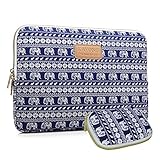
Kayond KY-23 11.6-Inch Elephant Patterns Canvas Laptop Sleeve for Macbook Pro,Macbook Air,Dell,Hp,Lenovo,Sony,Toshiba,Asus,Acer,Samsung,Haier Ultrabook

Mosiso Laptop Sleeve, Quatrefoil Style Canvas Fabric 11-11.6 Inch case for Acer Chromebook 11,HP Stream 11, Samsung Chromebook 2 / MacBook with Small Case for MacBook Charger or Magic Mouse, Gray

Apple MacBook Air MJVM2LL/A 11.6-Inch laptop(1.6 GHz Intel i5, 128 GB SSD, Integrated Intel HD Graphics 6000, Mac OS X Yosemite)

Fosmon Crystal Clear Screen Protector for Apple Macbook Air 11 inch - 11.6 inch MC505/506 (Model A1370 / A1465)

Mosiso Keyboard Cover Silicone Skin for MacBook Air 11.6" Models: A1370 and A1465 - (USA KEYBOARD VERSION) - Black