

NineLeaf New Generation Remanufactured Ink Cartridges High Yield Compatible for HP 63XL 63 XL Envy 4512 4520 DeskJet 3632 2130 1110 1111 1112 2132 3630 3634 3637 OfficeJet 5255 5258 (Black,2 Pack)
Product Description
NineLeaf New Generation Remanufactured Ink Cartridges High Yield Compatible for HP 63XL 63 XL Envy 4512 4520 DeskJet 3632 2130 1110 1111 1112 2132 3630 3634 3637 OfficeJet 5255 5258 (Black,2 Pack)
- Cartridges come filled with a new generation chip, work with all new printers, and display ink levels.
- Compatible with: HP Envy 4510, Envy 4512, Envy 4516, Envy 4520, Envy 4522, DeskJet 1110, DeskJet 1111, DeskJet 1112, DeskJet 2130, DeskJet 2132, DeskJet 3630, DeskJet 3632, DeskJet 3633, DeskJet 3634, Deskjet 3636, Deskjet 3637, OfficeJet 3830, OfficeJet 3831, OfficeJet 3833, OfficeJet 4650, OfficeJet 4652, OfficeJet 4654, OfficeJet 4655. Matches with series: hp63 hp63xl hp4650 hp3630.
- High capacity page yield: up to 480 pages per black cartridge.( The page yield is an estimation based on the industry standard of 5% coverage only. If you print more than 5% per page, then the page yield is significantly less.)
- All the cartridges are ISO9001 certified and strictly tested to ensure performance, print quality and page yield which allows you to buy with confidence in NineLeaf.
- Contents: remanufactured cartridges 63XL ( 2 Black)
Type: Nineleaf 2 Pack 63XL F6U64A black high yield ink cartridge
Color: Black
Page Yield: Black up to 480 Pages at 5% coverage.
Brand New Chip: Complex technology brings complete compatibility; each ink has a new chip which shows the accurate ink levels on your printer.
Compatible Printer Model List:
Envy 4520 Printer
Envy 4516 Printer
Envy 4512 Printer
Envy 4522 Printer
Officejet 3830 Printer
Officejet 3831 Printer
Officejet 4650 Printer
Officejet 3832 Printer
Officejet 3834 Printer
Officejet 4652 Printer
Officejet 4655 Printer
Officejet 4654 Printer
Deskjet 3634 Printer
Deskjet 3633 Printer
Deskjet 3636 Printer
Deskjet 3632 Printer
DeskJet 3631 Printer
Deskjet 3630 Printer
Deskjet 2134 Printer
Deskjet 2133 Printer
Deskjet 2132 Printer
Deskjet 2131 Printer
Deskjet 2130 Printer
Deskjet 1112 Printer
Deskjet 1110 Printer.
FOR OPTIMAL USE
Please follow the guidelines below:
Step 1: Please take off the protective cover before you install the ink cartridges.
Step 2: Please remove protective film of cartridges.
Warm Tips:
1.Please confirm your Printer Model before placing order.
2.Do not need tear the plastic film before install the ink .
3.Please clean the printer heads everytime you change ink,That more than anything will keep your printer running smoothly.
4.The computer would appear Non-Genuine, please click Yes continuously, then the printer can go on to print.
5.If you receive the ink can not recognize your printer please turn off 30 second then turn on and install again ,also you can try take the ink out and use tissue with rubbing alcohol clean the chips softly.
Technical Specifications
You might also like

Ink Topia Remanufactured Ink Cartridge Replacement for HP 63XL ( Black , 2-Pack )
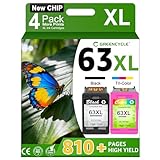
GREENCYCLE Hight Yield Ink Cartridge For HP 63XL F6U64A F6U63A Black and Tri-color Set - Black,2 Pack and Color,2 Pack

FreeSUB 2 Black Remanufactured Ink Cartridge Replacement for 63XL (F6U64AN) High Yield with Ink Display for Officejet 4650 3830 3831 4655 Envy 4520 4516 Deskjet 2130 1112 3630 3633 3634 3636

Kogain Remanufactured for HP 63 63XL Ink Cartridges, 1 Black + 1 Tri-Color, High Yield Work with HP Envy 4512 4516 4520 4522, DeskJet 1112 2130 3633 3634, OfficeJet 3830 3831 3832 4650 Printer

ValueToner Remanufactured Ink Cartridge for HP 63XL 63 XL Compatible with HP Envy 4520 4512 4516 Officeje 4650 3830 3833 4655 Delskjet 1112 2130 3630 3633 3634 3637 High Yield (2 Black)
NO1seller Top Fitbit Versa Bands for Women Men Small Large, Soft Silicone Sport Strap Replacement with Ventilation Holes for Fitbit Versa Fitness Smart Watch