

Phomemo Bluetooth Thermal Shipping Label Printer, 241BT Wireless Thermal Label Printer for Shipping Packages, Inkless Thermal Shipping Label Printer, Compatible with iPhone, Android, Green
Product Description
Phomemo Bluetooth Thermal Shipping Label Printer, 241BT Wireless Thermal Label Printer for Shipping Packages, Inkless Thermal Shipping Label Printer, Compatible with iPhone, Android, Green
- [Print Via Bluetooth] - Phomemo bluetooth shipping label printer supports wireless printing through bluetooth connection. For IOS and Android mobile Phone, need to download the "labelife " APP from Apple Store or Google Play. With easy and simple operations, you can easily print your logo, labels, and more, making your life more convenient! Note: All devices cannot be directly connected to Bluetooth and need to be used through the app
- [Multi-Platform Compatibility] - This shipping label printer supports label widths from 1 to 4.6 inches, making it ideal for printing labels are compatible with eBay, Shopify, Amazon, Etsy, UPS, USPS, FedEx, and more. Easily print text, barcodes, QR codes, forms, and use pre-made templates for home or business. Note: The printer supports black-and-white printing only. For color labels, purchase compatible thermal color label paper separately.
- [Money and Time Saver] -Phomemo label printer utilizes advanced thermal direct technology for printing, eliminating the need for expensive toner or ink. With a printing speed of 150 mm/s, the printer can produce up to 72 sheets of 4x6 labels per minute. Additionally, the 203 DPI resolution ensures that the printing is clear and precise. With this printer, you can save precious time and money, making it an ideal choice for your labeling needs
- [Professional Team] - Phomemo support team provides technical support, including live chat, phone calls, emails even remote desktop operation. If you have any questions or concerns about our Bluetooth shipping label printer, please don't hesitate to let me konw. Phone Call: (9:00-17:00 Mon-Fri EST) Email/ Live Chat: (19:30-4:30 Mon-Fri EST)
- Phone and Tablet Start Print - Step 1: Download the App 'Labelife'. Step 2: Turn on the 241BT printer and your phone's or tablet's Bluetooth. Step 3: Click the 'Printer' icon in the App to search for the 241bt label printer, connect it via Bluetooth in the App, and select the paper size and file type to start printing
- Laptop/PC Starts Printing - Step 1: Please check your laptop/PC's operating system (OS) and download and install the correct M832 driver from the website (labelife.net/pm241). Step 2: Use the USB data cable to connect the 241bt printer to your computer. Step 3: Select and open your document, and choose 241bt from the printer list.
Technical Specifications
You might also like

A Children's Literary Treasury

Learn And Master The Accordion In 14 Days: A Step-By-Step Guide To Building Hand Coordination, Keyboard Skills, And Musical Versatility

Disney Princess Girls Backpack for Little Kids | 6 Piece Set Girls Water Bottle Keychains Snack Tote and Knapsack for School

Christian Art Gifts Inspirational Refrigerator Scripture Magnet for Men and Women with Bible Verse: God is with Me - Joshua 1:9 Mountain Scene Design, Home & Kitchen Decorations, Size 2.4" x 2.8"
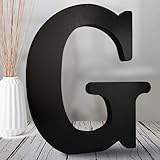
AOCEAN 8 inch Black Wood Letters Unfinished Wood Letters for Halloween Decorative Standing Letters Slices Sign Board Decoration for Craft Home Party Projects (G)

Hemlock Park Frankincense Apothecary Hand-Poured Scented Candle | Crackling Wood Wick, Botanical Fragrance & Coconut Wax | Up to 60 Hour Burn Time | 8 oz

VVAYHUA Ice Cube Tray, 2 Pack Flexible Silicone 22 Ice Balls Maker with Lid BPA Free Easy-Release Ice Cube Trays for Freezer, DIY Homemade Round Ice Cubes for Whiskey, Cocktails, Coffee
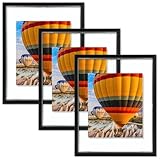
Golden State Art, 8x10 Floating Picture Frame Aluminum, Tempered Clear Glass Displays Any Size Photo Up to 8 x 10, for Home or Gallery Decoration (Black, 3 Pack)