

Proslife Cassette Player Tape to MP3 Converter Portable Walkman Cassette Tape Player with Earphones, Auto Reverse, No Need Computer

Product Description
Proslife Cassette Player Tape to MP3 Converter Portable Walkman Cassette Tape Player with Earphones, Auto Reverse, No Need Computer
- Cassette Converter: Proslife cassette player convert cassette music to mp3 format, no computer required, keep those old memory in this player forever, awaken your memory of the past and classic music, no worry about damaging the tape
- Walkman Tape Player: Support external audio, plug the 3.55mm aux jack into converter used as walkman, listen to the cassette/tape with headphone, speaker, car stereo
- Auto Reverse: Rediscover your old cassette tapes on the go. Portable design fits in virtually any bag and enables you to play and transfer anywhere
- Playback: Easily checking the recorded file,USB port supports FAT, FAT32, exFAT, MP3 format to USB Flash Drive
- Metal core, more stable; Auto-flip, high-fidelity, stereo; 2×AA battery and USB power supply battery, please know that cassette/tape and thumb drive are not included
Features:
Compact and portable design
Flexible battery or USB-powered
Can be used as walkman player
Converts your precious cassette collection to MP3
No drivers required for play, no computer required to convert
Specification:
USB port: USB 2.0
Converter format: MP3
Audio Channel: Stereo L/R
Bit Rate: 128Kbps
Dimensions: 6.3*3.7*1.4 inch
Weight: 145g/0.32lb(without batteries)
Power supply: 2*AA Battery and USB port power supply (5V DC adapter, USB from PC)
Package:
1 x cassette tape to mp3 converter
1 x USB cable
1 x User Manual
1 x Earphone
Tips:
The item has no built-in speaker; Converting speed can't be adjusted, which is same as the speed of playing tape.
Auto mode: It needs some interval times for automatically separating each song/audio file to save. (about 5 seconds)
Sound quality: It depends on the audio source. If the sound quality of tapes is low, then the Mp3 from converting will not good either.
MP3 to USB Disk:If you can not convert mp3 file to USB disk, please backup your data and format it with FAT32 file type, then try to convert the tape again
Please keep a distance from modem, router and other devices' wireless signal source during converting for better sound.
If you have any questions or need further assistance, please contact us via E-mail
If you like it, please share your feelings with us by leaving reviews below.Thanks!
Technical Specifications
You might also like

USB 2.0 Digital Audio Capture Card for Windows 10 / 8.1 / 8 / 7 / and Mac OS 10.11 - Audio Grabber for Cassette Tapes to mp3 Converter
Wireless Gamepad, Prolife Vibration Wireless Game Controller with Clip for Android/IOS Smart Phones/Tablet/PC/PS3/Gear VR
iPad Keyboard Case, Proslife 360 Degree Rotatable Cover with Wireless Keyboard, 7 Colors Backlit, Auto Sleep/Wake up for iPad 5/6/Pro 9.7/iPad Air/2017 New iPad(Rose Gold)

External CD Drive,MMUSC USB 3.0 Portable CD DVD Burner Writer Drive Player, High Speed Data Transfer for Laptop/ Desktop / Macbook / Mac OS / Windows10 /8/ 7 / XP / Vista
Guardians Of The Galaxy: Awesome Mix Vol. 1 [Cassette]
Guardians Of The Galaxy Vol. 2: Awesome Mix Vol. 2 [Cassette]
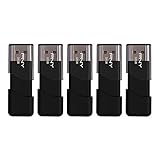
PNY Attache USB 2.0 Flash Drive, 32GB / BLACK / 5 PACK (P-FD32GX5ATT03-MP)