

KLO LED Rechargeable Bluetooth Mouse (BT5.2+Type-C+USB2.4G) for MacBook/pc/iPad/Laptop/Notebook/Chromebook (BT/Grey)
Product Description
KLO LED Rechargeable Bluetooth Mouse (BT5.2+Type-C+USB2.4G) for MacBook/pc/iPad/Laptop/Notebook/Chromebook (BT/Grey)
- Upgrade version color breathing light LED Rechargeable 4 Modes bluetooth mouse(Bluetooth 5.2-USB2.4G/Type C), Dual-port 2-in-1 Receiver USB2.4G/Type-C You can switch between the 3 connection modes, adds more fun to the boring office life
- It is compatible with Mac OS Windows XP, Vista, 7, 8, 10and is suitable for desktop, notebook, PC, Mac Macbook Pro/Air/ipad/iMac and other devices.
- Built-in durable Lithium polymer rechargeable battery,You can use the USB cable to charge the mouse without replacing the battery,Just 2.5 hours charging, you can use it about 7-15 days, Standby time is very long, energy-saving features, automatic sleep mode and wake-up mode are installed to save energy,If you do not use the mouse for 5 minutes, it will go to sleeping mode.
- Led dual mode bluetooth mouse is designed ultra-silent and reduce noise by up to 96% compared with others, Sleek, well-built and lightweight , Contoured shape to fit comfortably in the palm of your hands so you can stay productive longer.
- 3 DPI switches (1000, 1200, 1600) change the speed of the mouse freely,This bluetooth mouse can meet your demand of daily office working and personal preference.
IPAD is not supported
feature of product:
First,Adopt bluetooth 4.0 technology, built-in 450mAH A product lithium battery, configuration charging line, like a mobile phone, easy to charge, more scientific, charge and discharge of more than 500 times, the mouse no longer need to buy a battery. Allows you to stop worrying about the power of your mouse when you are working or entertaining. It relieves your worries and makes you more Emotional work and entertainment also save time and worry more.
two,How to use Bluetooth wireless mouse:
Apple Mac MacBook/pro/Air 2012/2013/2014/2015/2016/2017/2018/2019: first, open the mouse switch, open the computer system preferences, open the bluetooth, when the computer Bluetooth display is searching for nearby Bluetooth devices, hold down the mouse button (at the bottom of the mouse small black button) and keep 3 to 8 seconds, and then your computer display the search bluetooth mouse, bluetooth device click on the link, and then the connection is successful
Win7/8/10/XP series notebook computer usage instructions: First, open the mouse switch, open the computer settings, open the device Bluetooth function, open add Bluetooth, open Bluetooth, when the computer Bluetooth display is searching for nearby Bluetooth devices, hold down the mouse button (at the bottom of the mouse small black button) and keep 3 to 8 seconds, and then your computer display the search bluetooth mouse, bluetooth device click on the link, and then the connection is successful
size: 113mm x 58mm x23mm weight : 3.2 oz
package: Bluetooth mouse x1, USB Charging Cable x1 WIDE COMPATIBILITY:Compatible with most system including Windows, Mac and Linux. Fit for Notebook, PC, Laptop, Computer, Mac,Note:Don't support iPad bluetooth connection.
Technical Specifications
You might also like
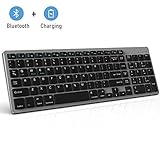
Bluetooth Keyboard, Jelly Comb Rechargeable Slim BT Wireless Keyboard with Number Pad Full Size Design for Laptop Desktop PC Tablet, Windows iOS Android-Gray

Syntech USB C to USB Adapter (2 Pack), Thunderbolt 3 to USB 3.0 Adapter Compatible with MacBook Pro 2019 and Before, MacBook Air 2019/2018, Dell XPS and More Type C Devices, Space Grey
Anker Ultra Compact Profile Wireless Bluetooth Keyboard for iOS, Android, Windows and Mac with Rechargeable Battery and Aluminum-Effect Finish (Black)

LENTION 4-in-1 USB-C Hub with Type C, USB 3.0, USB 2.0 Compatible MacBook Air 2018 2019, MacBook Pro 13/15 (Thunderbolt 3), ChromeBook, More, Multiport Charging & Connecting Adapter (Space Gray)

iCozzier 13-13.3 Inch Handle Electronic Accessories Strap Laptop Sleeve Case Bag Protective Bag for 13" MacBook Air/MacBook Pro/Pro Retina Sleeve - Grey
Rechargeable Bluetooth Keyboard for Mac OS, Jelly Comb Ultra Compact Mini Wireless Keyboard Compatible for MacBook, MacBook Air, MacBook Pro, iMac, and iMac Pro - Aluminum Black

KECC Laptop Case for New MacBook Air 13" Retina (2019/2018, Touch ID) w/Keyboard Cover Plastic Hard Shell Case A1932 2 in 1 Bundle (Blue)

MOSISO Laptop Sleeve Bag Compatible with 13-13.3 inch MacBook Pro, MacBook Air, Notebook Computer, Vertical Style Water Repellent Polyester Protective Case Cover with Pocket, Space Gray

LENTION USB C Hub with 4K HDMI, 3 USB 3.0, SD/TF Card Readers Compatible MacBook Pro 13/15 (Thunderbolt 3), 2018 2019 Mac Air, Surface Book 2/Go, Chromebook, Multi-Port Adapter (Space Gray)