

Rii RK700 2.4Ghz Ultra-Slim Wireless Keyboard and Mouse Combo Multimedia Compact Keyboard and Mouse for PC Laptop,Desktop,Raspberry Pi KODI HTPC XBMC MacBook Android TV Box Smart TV,Windows
Product Description
Rii RK700 2.4Ghz Ultra-Slim Wireless Keyboard and Mouse Combo Multimedia Compact Keyboard and Mouse for PC Laptop,Desktop,Raspberry Pi KODI HTPC XBMC MacBook Android TV Box Smart TV,Windows
- 2.4Ghz Wireless Multimedia Keyboard and mouse set.,Hot keys customized for Windows keep access to applications and media control
- 2.4G Wireless delivers up to 10 meters connection; plug and play with unified nano receiver Mouse MAX 1600DPI . Wireless mouse DPI:800-1200-1600,
- System support: PC,Laptop,Raspberry Pi 1 2 3, Mac IOS,Linux, HTPC, IPTV, Google Android Smart TV Box ,XBMC,Windows 2000 XP Vista 7 8 10,NOT WORK with Amazon fire TV stick and SMART TV!
- Precision mouse with 3 DPI levels (800/1200/1600) Long time key clicks life:10 million times,size:300*130*22mm; Mouse size:100*60*30mm
- Power by: Keyboard needs 2 x AAA battery,and mouse needs 2 x AAA battery (Battery not included in package)
Features
Easy operation; For Use With Tablets, Mobile Phones, TVs And Other Bluetooth Devices
Portable and fashionable design; Operating distance up to 8 meters
Built-in rechargeable lithium-ion battery, using USB cable for charging
Environment friendly Touchpad, scrolling, mouse click; Backlit available for dark environment
Auto sleep for saving battery, clicking on any key to activate
Technical Specification
Connect port: with USB 2.0 above
RF mode: Bluetooth 3.0
Transmission distance: up to 8 meters
Transmission power: less than +4db
Power supply: rechargeable 450 mAh polymer lithium-ion battery
Charging voltage: 4.4 V-5.25V
Charging current: 300mA
Sleeping current: 19uA
Operation voltage: 3.3V
Weight: 104g
Size:151mm*59mm*12.5mm
In the box
1 * Mini Wireless keyboard
1 * Charging cable
1 * User manual
Note: Package doesn't come with bluetooth dongle, so make sure your device support bluetooth. It supports Android 3.0+; iPad and iPhone no touch pad function.
1. Power switch: turn on / off device
2. Touch pad: work like your laptop touchpad
3. Bluetooth pair button: press to active Bluetooth function, the main device will require to input a series number by keyboard, and press ENTER button on keyboard to pair with the main device
4. Press Fn+F1 to open the backlight
5. Make sure to open the main device Bluetooth function before pair with the keyboard
Technical Specifications
You might also like

Rii Mini Wireless 2.4GHz Keyboard with Mouse Touchpad Remote Control, Black (mini X1)

Fosmon Portable Lightweight Mini Wireless Bluetooth Keyboard Controller (QWERTY keypad) w/ Built-In Touchpad for Apple / Android / Windows Smartphones, Tablets, PS4, Laptop, Notebook - Black & Orange
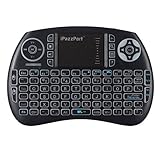
iPazzPort Backlit Keyboard and Bluetooth Mini Wireless Keyboard with Touchpad for Raspberry Pi and Android Smart Tv and PC KP-810-21SBL
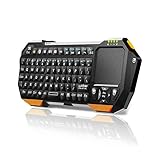
Mini Bluetooth Keyboard with Touchpad for Smart TV Projector Compatible with Android iOS Windows

Element14 Raspberry Pi 3 B+ Motherboard
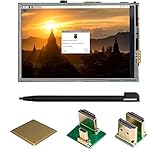
UCTRONICS 3.5 Inch HDMI TFT LCD Display with Touch Screen, Touch Pen, 3 Heat Sinks for Raspberry Pi 3 Model B+, 3 Mode B,Pi 2 Model B, Pi B+

Mini Keyboard, Updated Wireless Mini Keyboard with Touchpad Mouse and Multimedia Keys : Jelly Comb 2.4Ghz USB Rechargable Handheld Remote Control Keyboard for PC, HTPC, X-Box, Android TV Box,Smart TV

Vilros Raspberry Pi Zero W Basic Starter Kit- Black Case Edition-Includes Pi Zero W -Power Supply & Premium Black Case

NEW Raspberry Pi Expansion Board Power Relay Module for Raspberry Pi 3 2 Model B B+ @XYGStudy
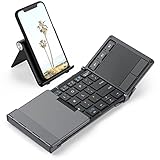
Bluetooth Keyboard, iClever Folding Keyboard with Sensitive Touch Pad (Sync Up to 3 Devices), Pocket-Sized Tri-Folding Wireless Keyboard with Portable Carry Pouch for Smartphones, Tablets - Dark Gray