

SHINESTAR mSATA to SATA Enclosure, mSATA to 2.5 SATA Adapter with Case, 50mm Mini SATA SSD Hard Drive to 2.5 Inch SATA 3.0 Converter with 7mm Case
Product Description
SHINESTAR mSATA to SATA Enclosure, mSATA to 2.5 SATA Adapter with Case, 50mm Mini SATA SSD Hard Drive to 2.5 Inch SATA 3.0 Converter with 7mm Case
Package :
mSATA SSD to 2.5" SATA adapter cardÂ
Features:
About Mini PCIe SSD interface standard: There are six types of Mini PCIe interface as below:
1. mSATA Solid State Drive,using SATA protocol;
2. SATA MINI PCIE Solid State Drive,its nature is SATA interface,but the pin definition is different compared with mSATA solid State Drive;Â
3. PATA MINI PCIE Solid State Drive, its nature is IDE interface;
4. Raid mSATA;
5. 3G or WIFI module;
6.Inter Turbo Memory.
Six types of interface definition looks exactly the same,so please be sure to distinguish your solid state drive's interface definition.Â
Notice:Â
1. Please identify interface definition of your SSD,determine the length of your SSD.Â
2. Please check your computer can support the SSD,some computer is too old,it is not compatible with SSD;There are some brand computer for a particular type of SSD is not compatible.
3. Please connect the adapter card in your computer hard disk drive interface test or with USB hard disk box to test the adapter card (Do not connect USB interface test if Your hard disk rated current is greater than 1.2A, because maximum power supply current is 500 mA of USB 2.0 port,maximum power supply current is 900 mA of USB 3.0 port)
4. If the SSD with a test method can't identify by computer,change other test method to check the SSD,If still can't identify please try to replace a computer,this operation can be ruled out compatibility problems.
5. Mac OS and some digital camera system use disk format can't compatible with Microsoft system,new SSD if there is no partition,open the "my computer" can't see the ssd, please use the Disk Manager in Windows to delete the partitions or to create a new partition on the SSD.Â
6. This product performance is being improved unceasingly, like has the change, not separate informs even slightly.
Technical Specifications
You might also like

Sabrent mSATA to 2.5-Inch SATA III Aluminum Enclosure Adapter (EC-MSSA)

Sabrent M.2 SSD to 2.5-Inch SATA III Aluminum Enclosure Adapter (EC-M2SA)

SHINESTAR M.2 SATA Enclosure, M.2 SSD to 2.5 inch SATA Adapter with Case, B & M Key SATA Based NGFF SSD to SATA 3.0 Converter Card,Support 2230 2242 2260 2280 Hard Drive with 7mm Case

Zheino mSATA SSD 512GB M3 Internal mSATA Drive 3D Nand Flash Solid State Drive for Mini PC Notebooks Tablets PC
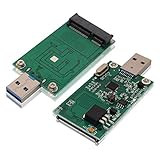
mSATA SSD Adapter To USB 3.0, Tanbin Mini SATA Use as Portable Flash Drive/External Hard Drive, 50mm Mini PCIe Solid State Drive Reader Converter
A-Tech 8GB DDR3/DDR3L 1600MHz PC3L-12800 2Rx8 1.35V CL11 Non ECC Unbuffered Low Voltage 204 Pin SODIMM Laptop Notebook Computer Memory Ram Upgrade

SATA Power Cable Adapter 3 Pack SATA 15 Pin Male to Molex LP4 Female Power Cable 8-inch
CableCreation Micro SATA 16Pin Female to SATA 22Pin Male Adapter, SATA Adapter 22 pin SATA (Male) to 16 pin Micro SATA (Female),2.5" Sata 22Pin to 1.8" Micro Sata Female

KingSpec 2242 NGFF 512GB M.2 SSD SATA III 6Gb/s Internal Solid State Drive for Ultrabook (512GB) ...... ...
Sabrent 256GB Rocket NVMe PCIe M.2 2280 Internal SSD High Performance Solid State Drive (SB-ROCKET-256)