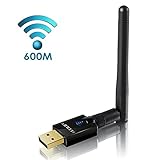
SeoJack AC1200 Dual Band(5GHz and 2.4GHz) Wireless USB WiFi Adapter,For Device of Windows XP / Vista / 7 / 8 / 8.1 / 10 (32/64bits) MAC OS X 10.11.X / 10.10.X / 10.9.X / 10.8.X /10.7.X
Product Description
SeoJack AC1200 Dual Band(5GHz and 2.4GHz) Wireless USB WiFi Adapter,For Device of Windows XP / Vista / 7 / 8 / 8.1 / 10 (32/64bits) MAC OS X 10.11.X / 10.10.X / 10.9.X / 10.8.X /10.7.X
- 1200Mbps Wi-Fi Speeds With Simultaneous 5GHz (867Mbps) and 2.4GHz (300Mbps) Bands
- USB 3.0 - Super speed USB 3.0, backwards compatible with USB 2.0
- Seamlessly Compatible: Support Operation System Windows 10/8.1/8/7/XP/Vista (32-bit/64-bit)/Mac OS X 10.11.X / 10.10.X / 10.9.X / 10.8.X /10.7.X/10.6.X; backwards compatible with 802.11 a/b/g/n/ac devices
- WPS button for easy wireless security encryption. Wireless Security WPA/WPA2/WPA-WPA2/802.1x64/128 bit WEP WPS (PIN, PBC)
- Easy to install, use drivers CD, simply plug in the wifi adapter to connect to your wifi with the client mode or create a hotspot with the AP mode
PLEASE NOTE that wifi adapter only works for the convenience of those who fail to surf the internet on his desktop computer via his home wifi network.
It is NOT designed for extending the coverage area of your wifi signals or increasing network speed.
WiFi Signals & Network Speed are sometimes influenced or interfered by your computers, routers, and your settings on them.
Specification
Please know that this item is bigger than others and when plugged, it may cover two usb ports if they are near. In this case, you can use a usb extension or plug it into the back of the main engine of your computer.
☆ SYSTEM REQUIREMENTS
Windows XP / Vista / 7 / 8 / 8.1(32/64bits)
MAC OS X 10.11.X / 10.10.X / 10.9.X / 10.8.X /10.7.X / 10.6.X
Note: The latest update of Windows 10 is unstable which leads to its incompatiability to AC1200 WIFI Adapter. Sorry that there's NOT YET solution but WE ARE WORKING ON THEM!
☆ DRIVER FILES
The driver CD is attached with the item in the pacakge.If it is unable to use the CD,
Please download the latest driver files on http://www.szedup.com/support/driver-download/ep-ac1601-driver/
Or, please contact us to send you the files directly via emails.
Note: Please DO INSTALL THE DRIVER FILES before you plug in the wifi adapter to start your wifi connection.
☆ CONTACT US!
Any confusion or problems on setup, any details inquiry on the item is welcome very much. We promise to provide you with great customer service.
Contact us now! Click "shiyonghao" → "Have a question for shiyonghao?" → "Ask a question"