

Smart Tech Handcrafted Natural Bamboo Wooden PC Wireless 2.4GHz Keyboard and Mouse Combo
Product Description
Smart Tech Handcrafted Natural Bamboo Wooden PC Wireless 2.4GHz Keyboard and Mouse Combo
- Handcrafted bamboo wireless keyboard and mouse, Compatible with XP/NT/Vista/Win7/Win8/Win10, MAC OS, Linux, Android and IOS
- 2.4GHz wireless connecting keyboard and mouse with one single USB Reciever, the USB Reciever is inside the batterie space of the wooden mouse
- The out shelf and keycaps are all made of natural bamboo wood
- Keystroke and mouse life time over 5 million cycles
- With 7 multi-media keys for convenient use in listening to music or watching video
Kindly Note: The Bamboo Mouse and Keyboard Share one receiver, the receiver is located inside the mouse.
Energy multilevel saving mode
More than 12 channels frequency hopping, strong anti interference ability
Supports computer sleep wake up and automatic sleep awake
The mouse resolution is 1000 to 1500 DPI
Receiving and transmission will always be in online mode
Keyboard not only works for Mac PC, also for other devices which features USB host port like projector/ TV / Android OS ..
Suits with Windows 2000/ 2003/ XP/ Vista/ Win7/ Win8/ Win10 OS
Specifications:
Transmission distance: 20 to 30feet
Keys number: 113 keys
Keyboard weight: 1.1 pounds
Mouse weight: 0.16 pounds
Package weight: 1.9 pounds
Keyboard size (L x W x H): 15.7 x 5.3 x 1 inch
Mouse size (L x W x H): 3.5 x 2.4 x 1.4 inch
Package size (L x W x H): 20.5 x 6.5 x 1.6 inch
Package includes:
1 Wireless bamboo keyboard
1 Wireless bamboo mouse
1 English User manual
Troubleshooting:
The Keyboard and Mouse are already matched to the USB Receiver.
If they dont connect to each other please follow this Steps:
Keyboard:
1. Open the battery cover of the keyboard at the bottom, and install the batteries correctly.
2. Press ECS and Plus key for one second to enter keyboard mode for code.
3. Put the USB receiver into the computer USB port within 10 seconds, put the keyboard as close as possible to the receiver. When the indicator light goes out, the process is finished successfully.
Mouse:
After equipping the mouse with batteries, you should hold the left, middle and right three buttons for 5 seconds. During this process, the indicator at the back of the mouse will first flash red lights then go dark, which means you have successfully matched the mouse.
If the code is not set successfully, repeat the above steps.
Common Problems in the Keyboard/Mouse Matching
Steps:
1. When the power of the batteries is not enough, the code cannot be matched successfully.
Common Problems in the Keyboard/Mouse Matching
Steps:
1. When the power of the batteries is not enough, the code cannot be matched successfully.
Technical Specifications
You might also like

Prosumer's Choice Bamboo Multifunctional Mouse Pad and Desk Organizer with Pen Holder and Tablet or Smartphone Stand
Omio Wooden Wireless Charger Wood Wireless Charging Pad Fast Wireless Charging Base for iPhone Xs Max/XR/XS/X/8 Plus Samsung Galaxy Note 9/8/7/6/5 Galaxy S10/10+/S10E/S9/S9+/S8/S8+ & More Qi Devices
Sengu SG-MG95-N Wireless Optical Bamboo Mouse with USB Receiver for Notebook, PC, Laptop, Computer, Macbook
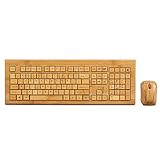
SNGU SG-KG308-N+MG93-N 2.4GHz Full Bamboo Handmade Wireless Keyboard and Mouse Combo(3 Key Pads)

Vintage Wood Chevron Unique Custom Mouse Pad Mousepad

Royal Craft Wood Computer Monitor Stand Riser - Laptop Stand and Desk Organizer with Keyboard Storage and IPad Tablet Cellphone Slots - Stylish Bamboo Printer iMac LCD TV PC Monitor Stands