

ForPro SX1000 Hot Towel Cabinet 24 Towel Capacity
Product Description
ForPro SX1000 Hot Towel Cabinet 24 Towel Capacity
- While steaming it sterilizes
- Temperature setting up to 176°F
- Easy to clean and maintain
"ForPro SX1000 Hot Towel Cabinet sterilizes with one temperature setting. Heats up to 176 degrees. Holds 24 face towels.
Product Specification
Rated power: Single phase, 110V/60Hz
Power: 180W
Temp. adjustment: Bimetal thermostat
Inside temp.: 155°F – 176°F
Safety unit: Safety temperature (215°F)
Insulation material: Glass wool
Weight: 6 Kg
Accessories: Shelf (2), Water tray (1)
Inside dimensions:
Outside: 17.75" width x 11" depth x 13.75" height
Inside: 14.25" width x 8" depth x 9" height"
Before Operation
Put Hot Towel Cabinet in a ventilated area. Keep away from water.
To prevent electric shock, use the power cord with the ground wire installed.
The water tray must be firmly installed inside. Insert the water tray horizontally with two hands.
Operation
1. Please confirm that the power switch is OFF.
2. Firmly insert the plug into the socket.
3. Open the door and take the shelf out of the warmer.
4. Put up to 24 moist towels on the shelf and put the shelf into the cabinet. Do not put too many towels on the shelf, as this will prevent the towels from warming as quickly as possible.
5. Close the door firmly.
6. Turn the power ON.
7. Empty the water tray before it is full of water for best results.
When Hot Towel Cabinet is not being used
1. Turn the power switch OFF.
2. Take the plug out of the socket.
3. When the unit is at room temperature, remove towels, and wipe it dry.
4. Empty the water tray.
5. Keep the door open for ventilation.
Technical Specifications
You might also like
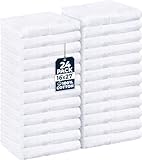
Utopia Towels Cotton Salon Towels - Gym Towel - Hand Towel - (24-Pack, White) - 16 inches x 27 inches, Not Bleach Proof - Ring-Spun Cotton - Maximum Softness and Absorbency, Easy Care (24, white)

Therapist’s Choice® Deluxe Fleece Massage Table Warmer, 12 Foot Power Cord. For Use with Massage Tables Only, Do Not Use as a Bed Blanket Warmer

EARTHLITE Massage Table Warmer & Fleece Pad (2in1), 3 Heat Settings, 13ft Power Cord (New Aug 2018 Model)

Utopia Towels Cotton Washcloths, 24 - Pack, White

Salon Sundry Professional High Capacity Hot Towel Warmer Cabinet - Facial Spa and Salon Equipment - White

ForPro Full Round Bolster, Black, 6 Inch X 26 Inch

Therapist's Choice® Massage Table Fleece Face Cover
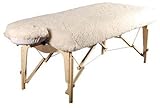
Therapist’s Choice DELUXE Massage Table Fleece Pad Set, 2 PC Set (Fitted Corners Fully Wrap Around Sides of Table, Massage Table not included)
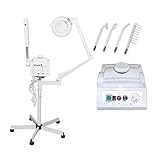
3 in 1 Aromatherapy Facial Steamer, 5x Magnifying Lamp & High Frequency Machine for Salon Spa Beauty Equipment
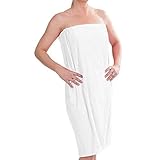
DII Women's Adjustable Microfiber Plush Spa Bath Shower Wrap For College Dorms, Pools, Gyms, Beaches, Locker Rooms, Bathroom (55.5 x 32.5") - White