

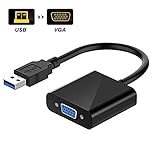
USB 3.0 to VGA Adapter Multi-display Video Converter- PC Laptop Windows 7/8/8.1/10,Desktop, Laptop, PC, Monitor, Projector, HDTV, Chromebook (Black)
Product Description
USB 3.0 to VGA Adapter Multi-display Video Converter- PC Laptop Windows 7/8/8.1/10,Desktop, Laptop, PC, Monitor, Projector, HDTV, Chromebook (Black)
USB 3.0 to VGA Adapter with Built-in Driver
Do you want to view large documents or spreadsheets across several displays? How about sharing your videos with your family and friends on a bigger screen? The Pacroban USB to VGA Adapter provides a great solution. It is a space-saving design, fits easily in your bag.
- Full HD Resolution on USB 3.0 supported devices
- Support Operation System: Windows 10, Windows 8.1, Windows 8, Windows 7, Windows XP.
- No need a CD.
Â
Important Notes:
- Not a bi-directional adapter, it only converts USB to VGA
- Does NOT support Mac computers or Linux OS.
- Does NOT support Surface Pro with ARM (Windows) processorÂ
- Make sure your computer has USB3.0 port. Usually, USB 3.0 ports are blue. If you will use USB 2.0 port, the resolution quality will be low.
Â
Supported resolutions:
- 1920 x 1080pÂ
- 1600 x 1200p
- 1680 x 1050pÂ
- 1400 x 1050p
- 1440 x 900p
- 1280 x 1024p
- 1360 x 768p
- 1280 x 960p
- 1280 x 800p
How to install it?
- Step 1, Plug USB to VGA adapter. When you plug it into the USB port, the computer will detect that a new device has been plugged.
- Step 2, According to the prompt appears a G: disk (from built-in storage)
- Step 3, Double-click to install the driver
- Step 4 5 6 7 8 9, follow the steps on your computer
- Step 10, Restart your computer
- Step 11, Choose the display resolution
Technical Specifications
You might also like

VicTsing Gold-plated DisplayPort(DP) To VGA Adapter Converter for PC Laptop
YVENEY USB 3.0 to VGA Adapter Multi-display Video Converter- PC Laptop Windows 7/8/8.1/10,Desktop, Laptop, PC, Monitor, Projector, HDTV, Chromebook, Raspberry Pi, and More (black)

DisplayPort to VGA Adapter 1080P Converter, FEMORO DisplayPort DP to VGA Adapter Male to Female Connector for DELL HP Lenovo Asus Chromebox in Black

Rankie DisplayPort to VGA Adapter, Male to Female Converter, White

USB-C to VGA, CableCreation Type C to VGA Adapter, Thunderbolt 3 Compatible, (DP Alt Mode) for MacBook/MacBook Pro/Surface Book 2/Chromebook Pixel/Dell XPS 13/Yoga 920/Samsung S9,Black

HDMI to VGA, Moread Gold-Plated HDMI to VGA Adapter (Male to Female) for Computer, Desktop, Laptop, PC, Monitor, Projector, HDTV, Chromebook, Raspberry Pi, Roku, Xbox and More - Black

Display Port to VGA, Moread Gold-Plated DisplayPort to VGA Adapter (Male to Female) for Computer, Desktop, Laptop, PC, Monitor, Projector, HDTV, HP, Lenovo, Dell, ASUS and More - Black
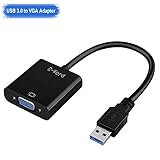
Top-Grade High Speed USB 3.0/2.0 to VGA Adapter, E-Word Multi-display Video Converter - PC Laptop Windows 7/8/8.1/10, Plug and Play No Need CD Driver

VicTsing Gold-Plated HDMI to VGA Converter Adapter for PC, Laptop, DVD, Desktop and other HDMI Input Devices - Black
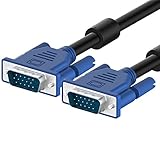
Rankie VGA to VGA Cable, 6 Feet