

USB-C Type C to Magnetic Charging Cable, Droya USB C to Magnetic (T-Tip) Cable Compatible with MBook Air Pro (T-Tip)
Product Description
USB-C Type C to Magnetic Charging Cable, Droya USB C to Magnetic (T-Tip) Cable Compatible with MBook Air Pro (T-Tip)
- This Type c to Magnetic2 Cable can be easily to charge your computer with USB-C Power Adapter(Note: Not all USB-C adapters work, only AP 61W/87W works, So You Only can use the original AP USB-C charger)
- Working power supply device Output ;15V~20V/3A~4.5A, DC Output ;15V~20V Max 60W to Magnetic2 Connector
- This USB-C Cable is Just a wire that transport current, you need to provide the correct power output device, your computer device can work normally.The power output device can be a USB-C power adapter and Power Bank (Output: 16.5V---3.65A), and the computer will not work below 14.5V. The phone and the Pad power adapter do not work. supports 61W USB C power adapter.
- Although this connector may fit many different Macbook computers. However, different Macbook computers may need different voltages and currents.Please make sure the power source this connector Type c tip connected (such as USB-C Adapter 61W/45W) can supply correct voltage and current for your Macbook computers.
- Enjoy this Absolutely RISK WITHOUT Purchase Today by Clicking the Yellow "ADD TO CART BUTTON" Above.
Note: Not all USB-C adapters work, only APPLE 61W/87W works, So You Only can use the original APPLE USB-C charger
Fit the MacBook Air Pro After 2012 year, DO NOT Fit Before 2012 year
Usb Type C to Mag-safe2 (T-Tip) 60W Cable Connector for MacBook Air/Pro 60W
Feature:
USB-C connector: Type C (connect to USB-C Power Adapter), USB-C charge Power need 60W or more(including 60W), Such as: APPLE 61W/87W USB-C charger,Mobile phone charger is not applicable.
Facility connector: Magnetic 3st-Gen T-head (connect to macbook)
Cord Length: 70inch /1.7m
Connector: Mag-Safe2 /T-shape (5 Pin)
INSTRUCTION:
First Step: Connect the Cable to USB-C adapter, Then connect the charging adapter to an AC source.
Second Step: Connect the Mag-safe2 port to the device. The signal light turns on.
Macbook Air MagSafe 2.0 Compatible Power Adapter Models:
A1436 A1465 A1466
Macbook Air MagSafe 2.0 Connecter Compatible Models:
MD223CH/A, MD224CH/A, MD231CH/A, MD232CH/A
MD711ZP/A, MD712ZP/A, MD760ZP/A, MD761ZP/A
Note:
1. Not all applicable models are listed.
2. Please check models on the Macbook and original power adapter before order.
Technical Specifications
You might also like
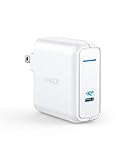
Anker 60W [PowerIQ 3.0 & GaN] Power Delivery USB C Charger, PowerPort Atom III 60W Ultra Compact Type C Charger for USB-C Laptops, MacBook Pro/Air, iPad Pro, iPhone XR/XS/Max/8, Galaxy, Pixel

USB C Charger, Anker 60W PIQ 3.0 & GaN Tech Dual Port Charger, PowerPort Atom III (2 Ports) Travel Charger with a 45W USB C Port, for USB-C Laptops, MacBook, iPad Pro, iPhone, Galaxy, Pixel and More
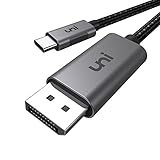
uni USB C to DisplayPort Cable (4K@60Hz), Thunderbolt 3 to DisplayPort Cable Compatible for MacBook Pro 2019/2018/2017, MacBook Air iPad Pro 2019/2018, XPS 15, Surface Book 2 and More-Gray, 3ft

Anker 60W 2-Port USB C Charger, PowerPort Atom PD 2 [GaN Tech] Ultra Compact Foldable Type C Wall Charger, Power Delivery for MacBook Pro/Air, iPad Pro, iPhone XR/XS/Max/X/8, Pixel, Galaxy, and More
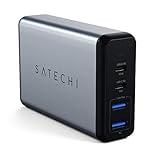
Satechi 75W Dual Type-C PD Travel Charger Adapter with 2 USB-C PD & 2 USB 3.0 - Compatible with 2018 MacBook Air, 2018 MacBook Pro, 2018 iPad Pro, iPhone Xs Max/XS/XR and More (USA)
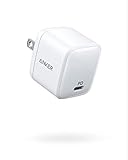
USB C Charger [GaN Technology], Anker 30W Ultra Compact Type-C Wall Charger with Power Delivery, PowerPort Atom PD 1 for iPhone Xs/Max/XR, iPad Pro, MacBook 12'', Pixel, Galaxy S10/S9+/S9/S8 and More

USB C Wall Charger, Nekteck 72W 4 Ports Desktop Charging Station, One 60W Type C PD Port for Laptops, MacBook Pro 13in/Air, XPS, iPad Pro 2018, HP Spectre, 3 USB Ports for iPhone Xs/Max, Pixel, S10/S9

Anker PowerLine+ C to C 2.0 cable (6ft), High Durability, for USB Type-C Devices Including Samsung Galaxy Note 8 S8 S8+ S9, iPad Pro 2018, Google Pixel, Nexus 6P, Huawei Matebook, MacBook and More

MacBook Pro Charger, Anker 60W USB-C Power Adapter, PowerPort Speed 1 Compact Type C PD Wall Charger, for MacBook Pro/Air 2018, HP Spectre, Dell XPS, Matebook, iPad Pro, iPhone, Galaxy and More

AmazonBasics Double Braided Nylon USB Type-C to Type-C 2.0 Charger Cable | 10 feet, Dark Grey