
![[Upgraded] 1080P Full HD Spy Camera Glasses Wearable Hidden Camera with Video Recording Mini Sport Outdoor Video Glasses with Camera (32G SD Card Included)](https://m.media-amazon.com/images/I/31GWkPZPpPL._SL500_.jpg)
[Upgraded] 1080P Full HD Spy Camera Glasses Wearable Hidden Camera with Video Recording Mini Sport Outdoor Video Glasses with Camera (32G SD Card Included)
Product Description
[Upgraded] 1080P Full HD Spy Camera Glasses Wearable Hidden Camera with Video Recording Mini Sport Outdoor Video Glasses with Camera (32G SD Card Included)
- 【HD 1080P】:With a perfect combination of HD camera and flat lenses,it works well for reading,watching live matches,some important moments and other outdoor activities.Glass frame with ABS plastic material,much lighter and comfortable wearing experience.
- 【REAL-TIME】Real time recording, never let memorable moments sneak away from life.
- 【MEMORY】Supports maximum 32GB Micro SD card(Included).Easily view the pictures by connecting it to your PC.
- 【Easy To Control】The Spy camera glasses with single hand operation, simple and convenient.Use USB or card reader connection with PC/Laptops,no driver needed.
- 【Warm Tips】: We offer a free replacement policy, totally no risk for you. If you have any problem please feel free to contact us.
Products Package List 1 x Camera glasses 1 x USB Cable 1 x User Manual ?1 X Cleaning tablets 1 x 32G Memory Card product features: ● main functions: simultaneous recording and recording, webcam, TV video output ● Camera pixels: 500 million pixels ● Video Format: AVI, 1920 * 1080 ● External memory: 2GB-32GB, maximum support 32GB(included) ● USB: 2.0 (Hs) ● Charging time: 2-3 hours ● use of time: lithium polymer battery, 2-3 hours of continuous work ● Operating system: Windows ME / 2000 / XP / VISTA or above operating system without driver installation (Windows 98 system requires driver installation) The main function: ●Power On / Video Function Off state, short press 3 seconds on / off / video key boot, the blue light flashes 5 times into the video state, continuous working state blue light slowly flashing, short press on / off / video key, you can Stop recording and save the video automatically. After the saving, the blue indicator light will be on. If you want to continue recording, please short press the on / off / video button again. ● TV video output: First, the TV is set to AV mode, selected NTSC or PAL system, and then use the dedicated data cable to connect the TV, press the power on / off key for 3 seconds, DV into the TV output mode, short press the separate recording button or video / camera button Select the desired TV content. Short press the power on / off key to confirm playback. ●Webcam: No TF card, boot and connect USB, directly into the webcam mode (the first time you need to install the STK03N.exe driver).
Technical Specifications
You might also like
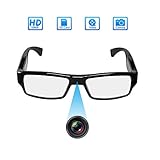
[Upgraded Version] FHD Hidden Camera Eyeglasses, Super Small Surveillance Spy Camera Glasses,Video Recorder,Snapshot,USB Charger Cable

Spy Camera Glasses with Video Support Up to 32GB TF Card 1080P Video Camera Glasses Portable Video Recorder
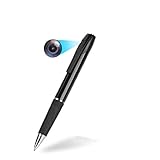
Hidden Camera - Spy Camera - Mini Spy Camera LKcare 1080p HD Spy Camera Pen 2.5 Hours Video Taking Battery Life with 32GB Memory for Business Conference and Security
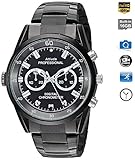
Camera Loop Video Recorder HD 1080P IR Night Vision Cameras(Black)
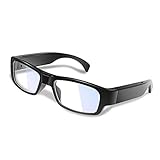
WISEUP 16GB 1920x1080P Wearable Hidden Camera Glasses Mini DV Camcorder Video Recorder (2018 Version)
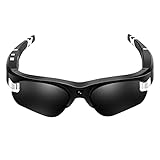
Camera Video Sunglasses,1080P Full HD Video Recording Camera,Shooting Camera Glasses,Cycling,Driving,Hiking,Fishing,Hunting
Cigarette Lighter Adapter 3 Socket Cigarette Lighter Splitter with LED Voltage Display Dual USB Car Charger On/Off Switches 12V Car Splitter Adapter for iPhone iPad Samsung GPS Dashcam