
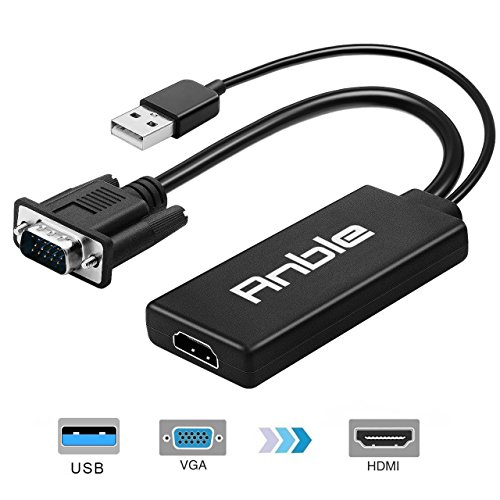
VGA to HDMI, Anble VGA to HDMI 1080P Video Converter with USB 3.0 Audio Cable Adapter for Desktop/ Laptop/Notebook/Computer/PC to HDTV/ Monitor/ Projector (Black)
Product Description
VGA to HDMI, Anble VGA to HDMI 1080P Video Converter with USB 3.0 Audio Cable Adapter for Desktop/ Laptop/Notebook/Computer/PC to HDTV/ Monitor/ Projector (Black)
- 【VGA TO HDMI ADAPTER】 connects a laptop or desktop with a VGA port to an HDTV, monitor or projector with HDMI input; An HDMI cable (sold separately) is required.
- 【HD Resolution】 HDMI output resolution up to 1080i/Full HD 1080p/480p/ 720p@60hz, Purely digital HD display, No ghosting, No Transmission Loss, No Fuzz, RGB Color Fidelity, Ensure You Amazing Video Quality.
- 【Plug and play】 No driver needed, easy to use, fast, convenient and compact.
- 【USB AUDIO SUPPORT】 with an integrated USB cable that embeds the audio along with the video over HDMI; Digital USB audio can be configured from the Sound menu in Windows to output the audio to the connected display, No Extra Power Adapter Required.
- 【Wide Compatibility】 Compatible with all input devices that equipped with VGA port, and compatible with all output devices that equipped with HDMI port; compatible with Windows system.
Stable Signal, Reliable Connection
The Anble VGA to HDMI Converter provides a cost-effective and easy solution for connecting a desktop, laptop, computer, pc, notebook, ultrabook or other devices with 15-pin VGA port to HDMI displays such as dual monitors, multiple displays, extended desktop projector, TV, or screen.
Specifications:
- Input: VGA Male + USB 2.0 Male
- Output: HDMI Female
- Audio Support: Yes
- Installation: Plug and Play
- Supported Resolutions: 1080p/1080i (1920x1080), 1600x1200, 1280x1024, 720p/720i (1280x720), 800x600, 576p/576i (768x576), 480p/480i (640x480)
- OS Compatibility: Windows 10, 8.1, 8, 7, Vista, XP
Sound Configuration Steps:
1. Connect the VGA connector to the computer's VGA port, and connect the USB connector to the computer's USB port
2. Connect the HDMI female port to your HDMI cable from the display
3. Select the USB audio on the Playback tab of the Sound menu in Windows
4. Select the input audio from the HDMI display's menu
5. Adjust the volume on the computer and the display
Important Notes
- This is NOT a bi-directional adapter and it can NOT transmit signals from HDMI to VGA
- An HDMI cable is required when you connect this converter to HDMI enabled monitors, projectors, or HDTV; The HDMI cable is NOT included.
You will get
- 1 x VGA to HDMI Adapter with USB Audio Transmission
- 90 x Days Money Back
- 18 x Month Quality Warranty
