

VideoSky Video Camera Camcorder with Microphone, FHD 1080P 36MP 30FPS IR Night Vision Vlogging Digital Cameras Webcam Recorder for YouTube with Wide Angle Lens,Remote,3.0 inch Touch Screen,Lens Hood
Product Description
VideoSky Video Camera Camcorder with Microphone, FHD 1080P 36MP 30FPS IR Night Vision Vlogging Digital Cameras Webcam Recorder for YouTube with Wide Angle Lens,Remote,3.0 inch Touch Screen,Lens Hood
VIDEOSKY Video Camera is can stream directly to Facebook, YouTube and Ins. Which is great gift for beginners, teens.
➤1.Connecting the microphone to camcorder. Then connect the camcorder to computer with the USB Cable.
➤2.Long press the PHOTO key and simultaneously click the POWER button. Then camcorder enter Webcam mode.
➤3.Opening the page of Facebook, YouTube, Ins and Livestream. It will automatically identify the camcorder and microphone.
ã€NOTE】
The video camera camcorder with microphone doesn't support manual focus. Please confirm the shooting distance is 1.5 meters or more. If you need close-up shots, please use a macro lens and keeping 10-20 cm distance from the object.
ã€TIPS】
1.Please format the memory card through this camera when you first use the camera.(SD card not included)
2.Please carefully read the user manual before using video camera camcorder with microphone.
ã€SPECIFICATION】
Image Sensor:8 MP CMOS image sensor
Image Resolution:36M(7936×4480 HD)/24M(5600×4200)
Video Resolution:FHD(1920x1080)30FPS/HD(1280x720)60FPS
Aperture:f=3.2
Focal Distance:f=7.36mm
Digital Zoom:16x
File Format:JPEG, AVIF
USB Port:2.0
Display:3.0" IPS Screen (16:9)
TV Output:NTSC/PAL
Power: Rechargeable Lithium Battery
Memory Card:External SD/MMC Card (4GB to 128GB)(NOT INCLUDED)
Operating System:Windows 7/8/10/XP/Visa
Video Camera Size:12.5cm*5cm*5.5cm
ã€WHAT YOUR GET】
1* Camcorder
1* Video Camera pouch
1* External Microphone
1* USB Charging Cable
1* Battery Charger
1* HDMI Cable
2* Rechargeable Lithium Battery
1* Remote control
1* Lens Hood
1* Wide Angle Lens
1* Macro Lens
3* User Manual
ã€HOW TO CONTACT US】
Login your amazon account > Choose "Your orders" > Find the order > Click "Contact seller".
Technical Specifications
You might also like

Kastar 3X Battery + Charger for Casio NP-40 LB-060 & Casio Exilim EX-Z1000 EX-Z1050 EX-Z1080 EX-Z1200 EX-Z700 EX-Z750 EX-Z850 EX-FC100 FC150 FC160S Z400 PRO P505 P600 P700 Zoom Z100 Z1000 XG-1
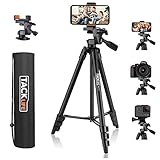
Lightweight Tripod 55-Inch, Aluminum Travel/Camera/Phone Tripod with Carry Bag, Maximum Load Capacity 6.6 LB, 1/4" Mounting Screw for Phone, Camera, Traveling, Laser Measure, Laser Level

Muddy Basic Camera Arm

Xpix Deluxe Camera/Camcorder & Accessories Protector Bag with Shoulder Strap
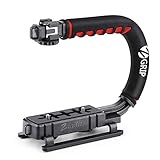
Zeadio Video Action Stabilizing Handle Grip Handheld Stabilizer with Hot-Shoe Mount for Canon Nikon Sony Panasonic Pentax Olympus DSLR Camera Camcorder
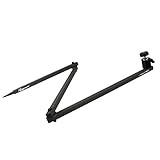
Realtree Outfitters Mount, 34", Charcoal
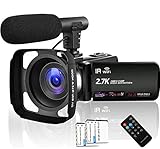
Camcorder Video Camera 4K 30MP WiFi Night Vision Camcorder Vlogging Camera Blogging Camera 16x Digital Camera Vlog Video Camera Camcorder with Microphone

10 inch Digital Picture Frame with 1920x1080 IPS Screen Digital Photo Frame Adjustable Brightness, Photo Deletion, Timing Power On/Off, Background Music Support 1080P Video, SD Card and USB

Victiv 72-inch Tall Tripod for Camera, Durable Aluminum Stand Lightweight Monopod for YouTube Videos, Live Webcasts with 2 Quick Release Plates 9.2 lbs Load for Travel and Work - Orange
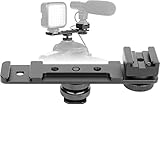
ChromLives Hot Shoe Extension Bar Mount Cold Shoe Extension Flash Bracket Dual Straight Mount Flash Bracket fits Nikon Canon Sony Olympus DSLR Camera Camcorder DV