

WESOPRO MX3B Backlight Air Remote Mouse, 2.4GHz Wireless Fly Mouse with Keyboard & Infrared Learning Remote Control for Android TV Box.Android Projector.HTPC.IPTV.Pad.PS3/PS4.
Product Description
WESOPRO MX3B Backlight Air Remote Mouse, 2.4GHz Wireless Fly Mouse with Keyboard & Infrared Learning Remote Control for Android TV Box.Android Projector.HTPC.IPTV.Pad.PS3/PS4.
- Multifunctional Fly Air Remote Mouse: 2.4GHz wireless Keyboard and mouse Combo, 6-Axis Somatosensory and Infrared remote control
- LED Backlit : Air Fly mouse, QWERTY Mini Wireless Keyboard, With led backlight buttons, you can use in the pitch-dark night easily.
- Plug and Play: With 3-Gyro + 3-Gsensor, it's more convenient to operate in horizontal and vertical mode for games and typing
- Compatible Device: PC, Pad, Android Smart TV Box, Android Projector, HTPC/IPTV, Smart Phone(OTG), Notebook etc.
- Control your TV: Can Learn Up To 40 Keys On Your TV IR remote, Much Easier For Your Android Smart TV Box.
WESOPRO MX3B with backlight air remote mouse,when you see you tv shows ,it easy to see the alphabet in night or easy control the tv show in long distance in dark night, our MX3B remote all slove it for you.
Updated LED Backlight buttons
LED Backlight, makes all buttons lighten in darkness, input text and hit enter, can find what you want quickly. No more hopping from letter to letter on the keyboard.
Small and Portable
With small dimension, you can use it at home, enjoying PC multi-media entertainment or take it to the office, suitable for conference, presentation & lecturing.
Easy to use, plug and play
Just insert 2 AAA batteries, plug the USB dongle into devices, you can control devices immediately without referring to instructions.
Power-saving
The other side of backlight functions also will turn off to save power when using remote on one side
How to program IR Learning
Except "TV" button,"Cursor Locking" button and "Open/Close Backlight" button can not be programmed, other 40 IR learning keys can be programmed. Take learning Power On of TV remote for an example.
1. Ensure your TV remote supports NEC protocol for learning, batteries installed correctly and LED flash redÂ
2. Set the MX3B remote and TV remote facing each other with top ends, keep the distance between them within 0.1 feet.
3. Press the TV button on the MX3B remote for 4-5 seconds until LED flashes fast.
4. Then press the Power button on the TV remote to learn 4-5 seconds until the LED on the MX3B remote flash fast, press one of 40 IR keys, the LED of MX3B will keep red and not flash.
5. Then press the TV buttons on the MX3B remote to exit learning mode.
Package includedÂ
1 * MX3B backlit air remote mouse
1 * USB receiver
1 * User Manual(2 AAA batteries not included)
Technical Specifications
You might also like

ILEBYGO MX3 Backlight Air Remote Mouse,Android TV Remote Control,IR Learning Mini Wireless Keyboard for Android TV Box.HTPC.IPTV.Pad.PS3/PS4
NewPal TV Box M8S Pro L 3G 16G Andriod 7.1 4K TV Box Built in 2.4G/5G WiFi Streaming Media Player (Andriod OS)
T96 MXQ Pro 4K Android 7.1 TV Box S905X Quard-core 1G+8G Wi-Fi Embedded UHD 4K H.264 Media Center Smart OTT TV Box

Rii MX3 Multifunction 2.4G Fly Mouse Mini Wireless Keyboard & Infrared Remote Control & 3-Gyro + 3-Gsensor for Google Android TV/Box, IPTV, HTPC, Windows, MAC OS, PS3

Android TV Box,Android 7.1 TV Box TX3 Mini 2GB/16GB Amlogic S905W Quad core 64 Bits WiFi Smart 4K TV Box

CanaKit Raspberry Pi 3 B+ (B Plus) Complete Starter Kit (16 GB Edition, Premium Clear Case)
Dupad Story Air Remote Mouse MX3 Pro,2.4G Backlit Kodi Remote Control,Mini Wireless Keyboard & Infrared Remote Control Learning, Best for Android Smart Tv Box HTPC IPTV PC Pad Xbox Raspberry pi 3
Air Mouse, MX3 Pro Air TV Remote Mouse 2.4G LED Backlit Mini Wireless Keyboard Mouse, Infrared Remote Control Learning for Kodi Android Smart TV Box IPTV HTPC Mini PC Pad XBOX Raspberry pi3 and Mac OS
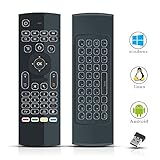
Air Mouse Remote for Android TV Box, 2.4G MX3 Pro Mini Wireless Keyboard Mouse, IR Learning Remote Contols with Backlit, Air Fly Mouse Control for Nvidia Shield, Raspberry pi3 Smart TV HTPC PS3/4
YAGALA T95Z plus 3Gb Ram/32Gb Rom Android 7.1 Amlogic S912 Smart Tv Box Octa Core 4K Resolution Dual Band Wi-Fi 2.4Ghz/5Ghz Bluetooth 4.0, 64 Bits